Affiliate disclosure: TheTechVector earns a commission if you sign up via links on this page, at no extra cost to you. Our recommendations are based on independent research — we are not paid to favour any provider. Learn more about how we make money.

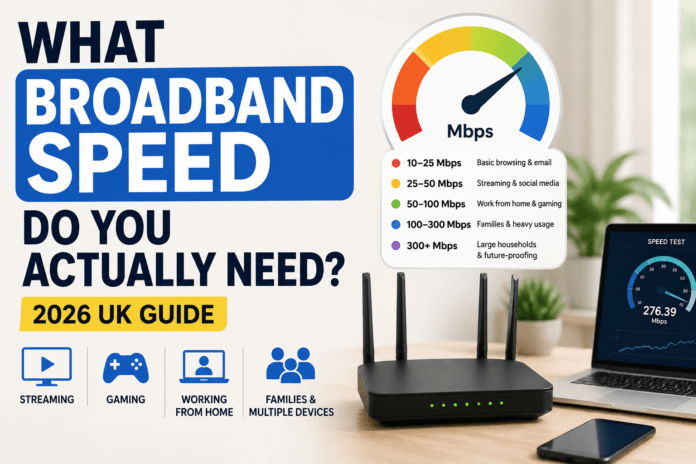
Quick answer: most UK households need between 50 and 200 Mbps. One person browsing and streaming is fine on 10–50 Mbps, working from home needs 50–100 Mbps, and a family streaming on several devices needs 100–200 Mbps. Only large smart homes and heavy users need 300 Mbps or more.
Broadband providers love advertising massive speed numbers.
500 Mbps.
900 Mbps.
“Ultra-fast gigabit fibre.”
But for most UK households, the real question is much simpler: how much speed do you actually need, and which provider gets you there without paying for headroom you’ll never use? This guide breaks down realistic Mbps recommendations by activity and household size, then matches each speed tier to a specific UK broadband deal.
Updated: August 2026
Update, 21 October 2026: BT Group acquired TalkTalk’s consumer broadband business (TalkTalk Telecommunications and PlatformX) out of administration on 5 October 2026, in a deal Reuters reported at £400 million. BT says the aim is continuity of service for TalkTalk’s roughly 2.5 million customers. We’ll update this guide as BT sets out what it means for TalkTalk’s plans and prices.
How Much Broadband Speed Do You Actually Need Day to Day?
In reality, many UK households are:
- paying for speeds they never fully use
- struggling with poor Wi-Fi instead of slow broadband
- choosing the wrong package for their household
The good news is that broadband is easier to understand once you focus on what you actually do online rather than technical marketing terms. This guide explains what broadband speeds really mean, how much speed different households need, what’s enough for streaming, gaming and working from home, and when faster fibre is worth paying for — and when it isn’t.
Quick Answer: Recommended Broadband Speeds
If you want the short version:
| Usage | Recommended Speed |
|---|---|
| One person browsing & streaming | 10–50 Mbps |
| Working from home | 50–100 Mbps |
| Family streaming on multiple devices | 100–200 Mbps |
| Serious gaming + streaming household | 50–150 Mbps |
| Large smart home / heavy users | 300 Mbps+ |
For most UK homes in 2026, 100 Mbps fibre broadband is the sweet spot. It’s usually fast enough for Netflix and YouTube, Zoom calls, gaming, smart TVs and multiple users at once — without paying premium prices for speeds you may never fully use.
Compare UK Broadband Providers by Speed Tier
Once you know roughly what speed you need, the next question is which provider actually delivers it at a sensible price. All four providers below sell genuine full fibre in most of their coverage areas, but they differ on network reliability, contract extras and how they price entry-level versus top-tier speed bands. Here’s how the major UK broadband providers stack up by typical speed range and network type.
| Provider | Typical speed range | Network | Price tier | Best for |
|---|---|---|---|---|
| TalkTalk | 35–500 Mbps | Openreach (FTTC & full fibre) | £ Budget | Light users, tight budgets |
| EE | 36–900 Mbps | Openreach full fibre | ££ Mid-range | Working from home, EE mobile bundle savers |
| BT | 36–900 Mbps | Openreach full fibre | ££ Mid-range | Families, reliability, speed guarantee |
| Virgin Media | 132–1,130 Mbps | Own cable / full-fibre (Nexfibre) network | ££–£££ | Gaming, heavy multi-device homes, gigabit |
Price tiers are relative, not exact figures — broadband pricing changes frequently and varies by postcode and promotion. Use the buttons on this page to check the current live price for your address. Checked against provider pricing pages, August 2026.
Quick Verdict: Best Broadband Deals by Speed Tier
🏆 Best for budget
TalkTalk. The lowest realistic monthly bill for one person browsing, streaming and emailing without a large household competing for bandwidth.
🏆 Best for working from home
EE. Stable Openreach full fibre plus a meaningful mobile bundle discount if you’re already an EE mobile customer.
🏆 Best for families
BT. The widest Openreach coverage, a speed guarantee written into the contract, and enough headroom for several devices at once.
🏆 Best for gaming & heavy users
Virgin Media. The fastest widely available speeds in the UK on its own gigabit-capable network, for households that genuinely max out 100 Mbps+.
How Fast Is Average UK Broadband in 2026?
It helps to know what “normal” actually looks like before deciding whether you’re under- or over-paying. According to Ofcom’s Connected Nations 2025 data, the average UK household’s actual (not advertised) broadband speed is around 157 Mbps, with the median UK connection sitting between 80 and 100 Mbps. Homes on full fibre (FTTP) average considerably higher, at around 218 Mbps actual speed.
That context matters: if your current package delivers anywhere near the 80–100 Mbps median, you’re already in line with what most UK households use day to day, not falling behind. The gap between “average” and “gigabit” is mostly marketing headroom rather than a gap most people will notice in daily use.
Broadband Speed Explained Simply
Broadband speed is usually measured in Mbps (megabits per second). The higher the number, the faster downloads can happen, the more devices can use the connection comfortably, and the less likely the network becomes congested during busy evening hours.
But speed alone doesn’t guarantee a good experience. A home with poor Wi-Fi coverage, weak router placement or overcrowded devices can still feel slow even on a fast fibre package. That’s why many people upgrade broadband when the actual problem is their home Wi-Fi setup — if you’ve recently switched to full fibre, it’s also worth checking whether you actually need a new router for full fibre before assuming a faster package will fix things.
Download Speed vs Upload Speed: Why Both Matter
Most broadband adverts only shout about download speed — the number that determines how fast Netflix loads or a file finishes downloading. Upload speed gets far less attention, but it’s often the more important figure for how modern households actually use the internet.
Video calls, cloud backups (Google Photos, iCloud, OneDrive), livestreaming and uploading large files to work all depend on upload speed rather than download speed. This is where the difference between full fibre and standard fibre (FTTC) really shows up: FTTC connections are heavily asymmetric, often capping uploads at 10–20 Mbps even when downloads reach 70–80 Mbps, while full fibre packages typically offer upload speeds much closer to — or even matching — the download figure.
If your household regularly has more than one person on video calls at the same time, or you back up large photo and video libraries automatically, prioritise a package with a stronger upload speed rather than simply chasing the highest download number on the box.
How Much Broadband Speed Do Different Activities Need?
One of the biggest misconceptions is that every online activity needs massive speed. Most don’t. Here’s what common tasks typically use.
Browsing & Social Media: 10–25 Mbps
General browsing, emails, online shopping and social media use surprisingly little bandwidth. Even older fibre packages can usually handle this comfortably. If you live alone and mainly browse the web, you probably don’t need expensive ultra-fast broadband — TalkTalk’s entry-level tiers are typically enough.
Netflix, Disney+ & 4K Streaming: 25–100 Mbps
Streaming is one of the most common reasons people upgrade broadband. HD streaming needs around 5–10 Mbps, while 4K streaming needs around 25 Mbps per stream. If multiple people stream at once, speeds add up quickly — a household with two TVs, phones, tablets and background downloads benefits from fibre around the 100 Mbps range. We cover this in more depth in our guide to the best broadband for streaming in the UK.
Working From Home & Video Calls: 50–100 Mbps
Video calls don’t need huge download speeds, but they do need stability, decent upload speeds and reliable Wi-Fi coverage. If you regularly use Zoom, Microsoft Teams, Slack or Google Meet, a stable fibre connection matters more than chasing extreme headline speeds. For remote workers, consistency is usually more important than raw speed.
Best Broadband Speed for Families
Recommended speed: 100–200 Mbps.
Family households usually have multiple phones, TVs, tablets, laptops, gaming consoles and smart home devices all competing for bandwidth. This is where fibre broadband becomes much more valuable. A good 100–200 Mbps package is enough for most UK family homes without moving into expensive gigabit territory.
Best Broadband Speed for Gaming
Recommended speed: 50–150 Mbps.
This surprises many people: gaming itself doesn’t require huge speeds. What matters more is latency (ping), connection stability and avoiding congestion. However, modern game downloads are enormous — a 100GB update downloads much faster on fibre compared to older connections. If several people stream or download while gaming, faster broadband becomes more useful. Our dedicated guide to the best broadband for gaming in the UK covers latency and provider choice in more detail.
Do You Need Gigabit Broadband?
For most people: probably not. Gigabit broadband (900 Mbps+) is impressive, but many households simply won’t notice the difference day to day. Gigabit makes sense if many heavy users share the connection, you download huge files constantly, you run a smart-heavy household, or you want maximum future-proofing.
But for normal streaming, browsing and remote work, it’s often overkill. In many homes, improving Wi-Fi coverage gives a bigger improvement than upgrading from 150 Mbps to 900 Mbps.
Full Fibre vs Standard Fibre: What’s the Difference?
This is one of the most confusing areas for UK broadband buyers. Standard fibre (FTTC) is part-fibre, with slower upload speeds and usually cheaper pricing. Full fibre (FTTP) runs fibre directly to your property — faster, more stable, better for heavy usage, and it supports gigabit speeds. In 2026, full fibre availability continues expanding across the UK; if available at a reasonable price, it’s usually the better long-term option. We’ve written a complete explainer on full fibre broadband in the UK, including how to check what’s available at your address.
Full fibre (FTTP) pros
- No copper bottleneck — speed doesn’t drop with distance from the cabinet
- Upload speeds usually match or come close to download speeds
- Supports gigabit tiers for heavy multi-device homes
Full fibre (FTTP) cons
- Not available everywhere yet — postcode-dependent
- Usually a little more expensive than FTTC on equivalent speed tiers
- Often more speed than a light user genuinely needs
Which Speed Tier Is Right for You?
Matching your household to a speed tier is more useful than chasing the fastest headline number. Here’s how to pick, with a specific deal for each tier.
Light users & one-person households (10–50 Mbps)
If you mainly browse, stream one show at a time and don’t share the connection with several other devices, there’s little point paying for anything above 50 Mbps. TalkTalk’s entry-level tiers are consistently among the cheapest full-fibre-backed deals on the market and comfortably cover this usage pattern.
Working from home & couples (50–100 Mbps)
Remote workers need stability and decent upload speed more than headline download numbers. EE’s Openreach full fibre packages sit comfortably in this range, and if you’re already an EE mobile customer, the bundle discount can make it noticeably cheaper than the sticker price suggests.
Families & multi-device households (100–200 Mbps)
With multiple phones, TVs, laptops and smart home devices all competing for bandwidth, BT’s wider Openreach coverage and contractual speed guarantee make it a dependable pick for family homes that want to avoid buffering during busy evening hours.
Gaming, students in shared houses & heavy users (150–300 Mbps+)
Households with several housemates or family members downloading, streaming and gaming at the same time benefit most from Virgin Media’s own network, which delivers the fastest widely available speeds in the UK on a genuinely gigabit-capable connection.
Not sure which of these fits your postcode? Our full comparison of UK broadband providers breaks down pricing, contract length and coverage across all the major names in one place.

Signs Your Broadband Is Actually Too Slow
You may genuinely need faster broadband if you regularly experience buffering during streaming, video calls freezing, slow downloads, lag while others stream, smart home devices disconnecting, or poor performance during busy evening hours.
But remember: slow Wi-Fi and slow broadband are not always the same thing. Sometimes moving the router, upgrading the router, or using mesh Wi-Fi can improve performance more than changing providers.
How to Avoid Overpaying for Broadband
This is where many households waste money. Common mistakes include paying for gigabit speeds unnecessarily, buying huge data allowances you don’t need, staying on expired contracts, and ignoring annual price increases.
For many UK households, 100 Mbps fibre offers the best balance of speed and value. Before upgrading, check your actual usage, see how many devices are active, and consider whether Wi-Fi is the real issue. If you’re out of contract, switching provider is easier than you think under Ofcom’s one-touch switching rules, and it’s usually the single biggest saving available.
Broadband Speed Recommendations by Household Size
| Household Type | Recommended Speed |
|---|---|
| 1 person | 30–50 Mbps |
| Couple | 50–100 Mbps |
| Small family | 100 Mbps |
| Large family / heavy users | 150–300 Mbps |
| Smart-heavy / advanced users | 300 Mbps+ |
Before Switching Broadband: 5 Things to Check
- Contract length. Cheaper deals often require 18–24 month contracts.
- Mid-contract price rises. Many providers now increase prices annually, typically each April.
- Setup fees. Some “cheap” deals include expensive setup costs.
- Router quality. A weak router can ruin a fast connection — check whether Wi-Fi 6 or Wi-Fi 7 hardware is included.
- Full fibre availability. Not every postcode has full fibre yet, so confirm what’s actually available at your address before committing.
Final Thoughts
Broadband providers often push massive speed numbers, but most households simply don’t need the fastest package available. Once broadband is “fast enough” for your household, the difference between 100 Mbps, 300 Mbps and 900 Mbps often becomes far less noticeable in everyday use — reliability beats extreme speed for most people.
For many UK homes in 2026, 50–100 Mbps fibre is already more than enough. The best broadband choice is the one that matches your actual usage, stays reliable during busy hours, and offers good value long term. Instead of chasing the highest speed, focus on choosing the package that genuinely fits your household — light users should look at 30–50 Mbps, families and remote workers usually land around 100 Mbps fibre, and heavy multi-user homes should look at 150–300 Mbps.
One thing that genuinely does eat into your speed: running a VPN. If you’re weighing up whether the overhead is worth it — especially for online gaming — our VPN for gaming guide breaks down the real-world impact.
Once you know the speed tier you need, it’s worth reading the full provider reviews before signing up — see our Virgin Media review and Vodafone review for the full picture on price, contract terms, and real-world speeds.
The Wi-Fi standard your router uses matters here too — our explainer on WiFi 6 vs WiFi 6E vs WiFi 7 covers which one your line speed can genuinely make use of.
Buying more speed won’t help if your router can’t spread it around the house. If Wi-Fi drops off in back bedrooms or the garden, see our pick of the best mesh WiFi systems in the UK.
If you are on Sky and the speed is fine but the coverage is not, the fix is a better router or a mesh — see our pick of the best routers for Sky Broadband and how to set one up.
Your device also has to be on the right Wi-Fi band to see that speed — our guide to 2.4GHz vs 5GHz Wi-Fi covers which band to use where, and why the far bedroom is often slower on 5GHz.
Upload speed becomes important once you add a doorbell or a camera, since every recording has to travel up your line, and our guide to what a good upload speed is for a smart home shows how much headroom a typical UK household needs.
FAQs
What broadband speed do I actually need for Netflix?
For smooth 4K Netflix streaming, around 25 Mbps per stream is recommended. HD streaming needs less, around 5–10 Mbps, so a household with two or three simultaneous streams is comfortable on 50–100 Mbps overall.
Is 100 Mbps enough for a family?
Yes — for many UK households, 100 Mbps is the ideal balance of performance and value. Larger families with several devices streaming and gaming simultaneously may prefer 150–200 Mbps for extra headroom.
Do gamers need gigabit broadband?
Usually no. Stable low-latency fibre matters more than ultra-high speeds for gaming itself — gigabit mainly helps with downloading large game updates faster, not with in-game responsiveness.
Is full fibre worth it?
If available at a good price, full fibre is generally more stable and future-proof than standard fibre (FTTC), with faster, more symmetrical upload speeds. It’s especially worth it for households that work from home or stream heavily.
Why is my broadband still slow on fibre?
The issue may be Wi-Fi coverage, router placement or device congestion rather than broadband speed itself. Moving the router to a more central spot, or switching to a mesh Wi-Fi system, often fixes this without needing a faster package.
How do I check my current broadband speed?
Run a speed test with an ethernet cable connected directly to your router for the most accurate reading, then run one over Wi-Fi from the room you use most. A big gap between the two usually points to a Wi-Fi problem rather than a broadband problem.
Compare Live Broadband Deals From Every Major UK Provider
Now you know roughly what speed tier fits your household, compare live deals from the providers below or check every option against your postcode in one search.
Speed recommendations above are based on typical UK usage patterns and Ofcom’s Connected Nations 2025 data, but every household is different — always check current pricing and availability at your postcode before signing up. Some links on this page are affiliate links, and TheTechVector may earn a commission if you sign up through them, at no extra cost to you.
Once you know how much speed you need, a decent WiFi 7 router is just as important – it’s how that speed actually reaches your devices.

Written by the TheTechVector Team
We research UK broadband, VPN, laptop, and mobile deals so you don’t have to. All prices are checked before publication — if something’s out of date, let us know.
This site contains affiliate links to products. We may receive a commission for purchases made through these links.
