
Affiliate disclosure: TheTechVector earns a commission if you sign up via links on this page, at no extra cost to you. Our recommendations are based on independent research — we are not paid to favour any provider. Learn more about how we make money.

The best ergonomic mouse UK shoppers can buy right now depends less on brand and more on where your pain actually is — wrist, forearm, or thumb. If your wrist aches by mid-afternoon or you’ve got a dull pain up your forearm after a day at the laptop, a standard mouse is likely part of the problem. This guide compares the vertical, trackball and split designs worth buying in the UK, with real prices, honest pros and cons, and a section on which shape fixes your specific pain rather than just handing you a list.
Last updated: August 2026
Our top pick is the Logitech MX Vertical at ~£58–£65 — the best all-round fix for wrist and forearm strain, with the most polished software of any mouse in this guide.
Check Price on Amazon →
Quick Comparison: Best Ergonomic Mice UK 2026
Here’s the shortlist before the full reviews. Prices move around between retailers, so treat these as a guide rather than gospel — check the live price via the buttons below before you buy.
| Mouse | Rating | Price (approx) | Deal |
|---|---|---|---|
| Logitech MX Vertical | 9.0/10 | ~£58–65 (as of Aug 2026) | View Deal |
| Logitech MX Ergo | 8.7/10 | ~£85–105 (as of Aug 2026) | View Deal |
| Logitech Lift | 8.6/10 | ~£50–60 (as of Aug 2026) | View Deal |
| CHERRY MW 4500 (left-hand) | 8.3/10 | Check current price | View Deal |
| Microsoft Sculpt Ergonomic Desktop | 8.2/10 | ~£35–45 (as of Aug 2026) | View Deal |
Ranked by TheTechVector Rating, highest first. Type (vertical/trackball/split) for each pick is in the full reviews below. TheTechVector Rating is our own editorial score out of 10 — see our editorial policy.
Quick Verdicts
Best Overall — 9.0/10
Logitech MX Vertical
The most comfortable all-rounder, with the software polish and battery life to match ~£58–65 (as of Aug 2026).
Best Value — 8.6/10
Logitech Lift
Smaller, cheaper, and better suited to average-to-small UK hand sizes, ~£50–60 (as of Aug 2026).
Best Budget — 8.2/10
Microsoft Sculpt Ergonomic Desktop
A full split keyboard and mouse bundle under £40, ~£35–45 (as of Aug 2026).
Best for Severe RSI — 8.7/10
Logitech MX Ergo
A trackball means almost zero arm movement, ~£85–105 (as of Aug 2026).
Best Left-Handed — 8.3/10
CHERRY MW 4500
A genuinely rare thing — a proper vertical mouse built for left-handed users, not just a mirrored budget knock-off.
What Actually Makes a Mouse “Ergonomic” (and Do You Need One)?
An ergonomic mouse is designed to keep your forearm and wrist in a more neutral position than a standard flat mouse forces you into. A normal mouse holds your forearm rotated inward (pronated) for hours at a stretch, which loads up the muscles and tendons that run along your forearm and wrist. Vertical mice tilt the grip so your hand sits in more of a handshake position — most sit at around a 57° angle, which is enough to take a lot of that rotation out of the equation without feeling completely alien on day one.
Do you actually need one? If you work at a screen for more than an hour a day, most days, the answer is genuinely worth considering — not because every WFH worker develops RSI, but because the risk is real. The Health and Safety Executive’s most recent figures (2024/25 reporting year) estimate that 511,000 workers in Great Britain suffered a work-related musculoskeletal disorder, and 41% of those cases — around 211,000 — affected the upper limb or neck. That’s the backdrop against which “my wrist hurts by 3pm” stops being a minor annoyance and starts being worth fixing.
There’s also a UK-specific angle almost nobody covers: under the Health and Safety (Display Screen Equipment) Regulations 1992, employers have a legal duty to carry out a workstation assessment — covering your keyboard, mouse, and grip — for anyone using a screen continuously for an hour or more as normal daily work. That duty doesn’t stop at the office door. If you’re working from home and your employer treats DSE as a normal part of your role, you can ask for an assessment and reasonable equipment, including a proper mouse. Most people simply don’t know to ask.
Logitech MX Vertical — Best Ergonomic Mouse Overall
The Logitech MX Vertical is the best ergonomic mouse UK buyers can get if you want one product that does everything well, currently running at ~£58–65 (as of Aug 2026, Box.co.uk / idealo). It sits at that same 57° tilt as most of the vertical field, but the shaping under your palm is noticeably better finished than cheaper alternatives — the thumb rest actually supports your thumb instead of just being a flat ledge, and the click force is light enough that you’re not adding a second repetitive strain on top of the one you’re trying to fix.
Connectivity is where it earns its price. You get Bluetooth, Logitech’s own USB receiver, or a wired connection, and it pairs with up to three devices with a switch on the underside — genuinely useful if you’re hopping between a work laptop and a personal desktop. Battery life is rated at around four months per charge on Logitech’s figures, and a quick top-up via USB-C gets you through a full day if you forget to charge it. Logi Options+ software lets you remap the four extra buttons, which matters more than it sounds — remapping “back” and “forward” to scroll-heavy tasks cuts down on repetitive clicking.
Pros
- Best-in-class build quality and thumb support
- Three-device Bluetooth switching
- Long battery life with fast USB-C top-up
Cons
- Large body doesn’t suit small hands
- No left-handed version
Logitech Lift — Best Value Ergonomic Mouse
The Logitech Lift is the best value ergonomic mouse UK buyers will find from a mainstream brand, priced at ~£50–60 (as of Aug 2026, Box.co.uk / Argos). It’s essentially a smaller, lighter take on the same 57° vertical concept as the MX Vertical, and that size difference matters — a lot of UK reviewers with average or smaller hands find the MX Vertical genuinely too big, while the Lift fits properly without your fingers overreaching for the buttons.
You lose a little compared with the MX Vertical: fewer programmable buttons, a slightly cheaper-feeling scroll wheel, and Logitech doesn’t currently sell a left-handed version despite reviewers repeatedly asking for one. What you keep is the multi-device Bluetooth pairing, roughly ten months of battery life on a single AA-equivalent charge, and the same Logi Options+ software ecosystem — so if you already use an MX-series keyboard or another Logitech mouse, setup takes minutes. For most home workers who just want their wrist to stop aching without spending £60+, this is the one to buy first.
Pros
- Compact size fits smaller and average hands
- Cheaper than the MX Vertical
- Long battery life, quiet clicks
Cons
- Fewer programmable buttons than the MX Vertical
- No left-handed version

Microsoft Sculpt Ergonomic Desktop — Best Budget Ergonomic Mouse Under £40
The Microsoft Sculpt Ergonomic Desktop is the best budget ergonomic pick if you want relief for under £40, typically found at ~£35–45 (as of Aug 2026, idealo / Scan UK) as a bundle with a split keyboard included. Rather than a vertical mouse, the Sculpt uses a rounded, thumb-scooped shape that sits your hand at a gentler diagonal — less dramatic than a true vertical mouse, but still a real improvement over a flat standard mouse, and an easier first step if you’re not sure a fully vertical grip is for you.
Because it comes bundled with Microsoft’s split ergonomic keyboard, it’s genuinely the cheapest way to overhaul your entire input setup in one purchase rather than buying a mouse and keyboard separately. The trade-off is battery life and build — it runs on AA batteries rather than a rechargeable pack, and the scroll wheel feels noticeably less premium than the Logitech options above. For a reader testing the waters before committing to a pricier vertical mouse, though, it’s a sensible, low-risk way in.
Pros
- Cheapest way to get a matching ergonomic keyboard and mouse
- Gentler introduction than a full vertical grip
- Good for a shared or hot-desk office setup
Cons
- Runs on AA batteries, not rechargeable
- Less effective than a true vertical mouse for severe pain

Logitech MX Ergo — Best for Severe RSI or Carpal Tunnel
The Logitech MX Ergo is a trackball, not a vertical mouse, and it’s the best pick here if you already have diagnosed RSI or carpal tunnel and need to eliminate arm movement almost entirely — currently ~£85–105 (as of Aug 2026, Amazon UK / Scan UK). Instead of moving the whole mouse across your desk, you rest your palm still and roll a ball with your thumb. That sounds like a bigger adjustment than it is, but it genuinely removes the repetitive forearm motion that a flat mouse — and even a vertical one — still requires.
The hinge underneath tilts to either 0° or 20°, so you can dial in how vertical you want the grip on top of the trackball design itself — a level of adjustment none of the fixed-angle vertical mice on this list offer. It’s the most expensive mouse in this guide, and it takes longer to get used to than any vertical option, but for the specific case of existing, diagnosed RSI, it’s the one piece of kit that consistently gets recommended by physiotherapists and occupational health advisors over a standard mouse redesign.
Pros
- Near-zero arm movement once mastered
- Adjustable 0°/20° hinge on top of trackball design
- Takes up almost no desk space
Cons
- Most expensive mouse in this guide
- Longest learning curve of any option here
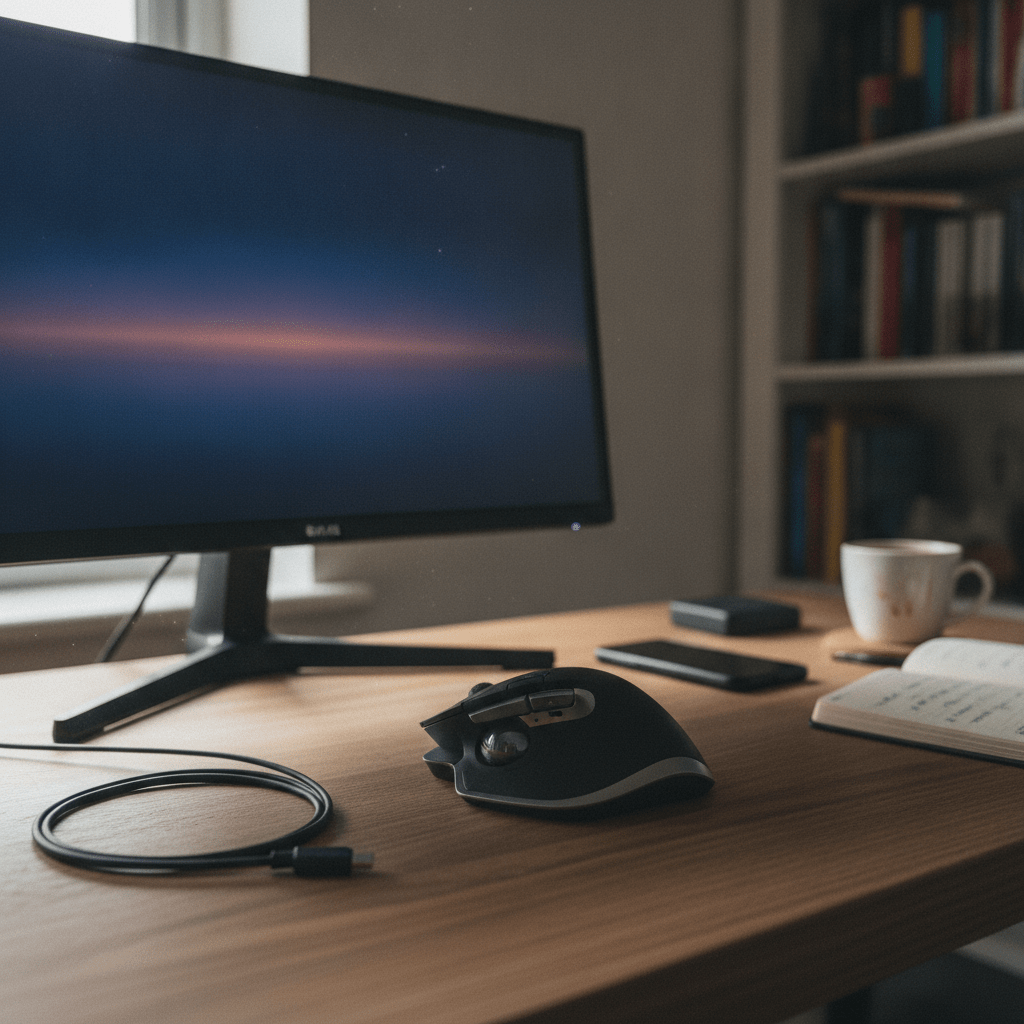
CHERRY MW 4500 — Best Left-Handed Ergonomic Mouse
The CHERRY MW 4500 Wireless Left Hand Ergonomic Mouse fills a gap almost every other competitor guide skips entirely — a genuine left-handed vertical mouse, not a symmetrical budget mouse dressed up as “ambidextrous”. It’s in stock at Scan UK, price not confirmed at time of writing so check the current figure before buying. Left-handed users are routinely an afterthought in this category: Logitech doesn’t make a left-handed MX Vertical or Lift, and most “ergonomic” ranges simply assume a right-handed user.
The design mirrors the same principle as the right-handed vertical mice above — a tilted grip to reduce forearm pronation — but built specifically around a left-handed hand shape rather than a right-handed mould flipped in software. If you’re left-handed and have been putting up with a right-handed ergonomic mouse held awkwardly, or a symmetrical mouse that gives you none of the wrist benefit, this is the one genuinely worth tracking down.
Pros
- One of the only true left-handed vertical mice sold in the UK
- Wireless, no separate dongle to lose
Cons
- Limited retailer availability compared with Logitech models
- Fewer independent long-term reviews to compare against
Vertical vs Trackball vs Contoured: Which Type Fixes Your Pain?
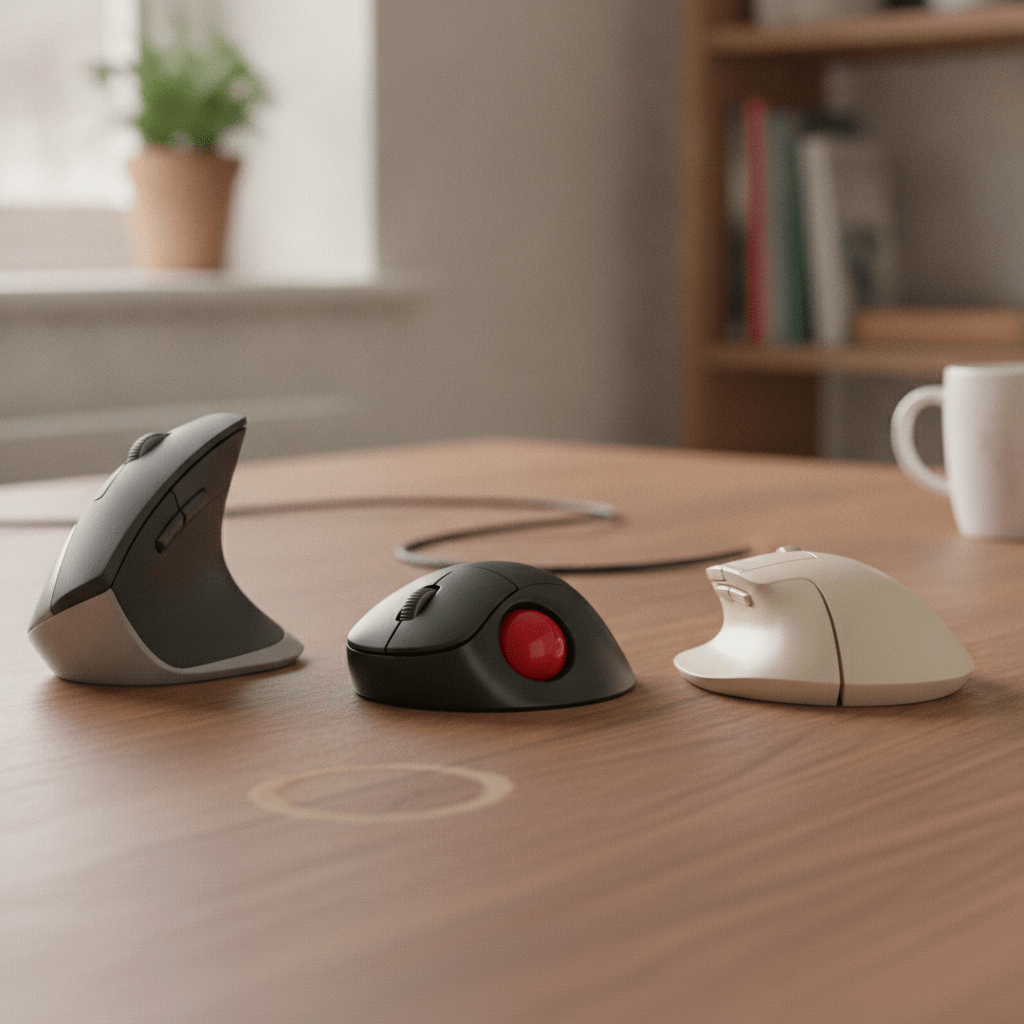
Vertical, trackball, and split/contoured mice each fix a different problem, and picking the wrong shape for your specific pain is why some people try an ergonomic mouse once and give up. Vertical mice fix forearm and wrist pronation — that dull ache from your hand being twisted flat all day — by tilting your grip into a handshake position. If your pain is specifically in the outer wrist or the top of your forearm, a vertical mouse like the MX Vertical or Lift is the right starting point.
Trackballs fix arm and shoulder fatigue rather than wrist rotation. If your pain is more in the shoulder or upper arm from repeatedly reaching and dragging the mouse across the desk, a trackball like the MX Ergo removes almost all of that movement — your hand stays still and only your thumb or fingers move. They’re also the better option if your desk space is genuinely tight, since a trackball barely moves.
Split or contoured mice, like the Microsoft Sculpt, sit in the middle — a gentler diagonal grip rather than a full vertical tilt. They’re the sensible choice if you’re not in pain yet but want to prevent it, or if a fully vertical mouse feels too extreme a jump on day one. None of this is about which mouse is “best” in the abstract — it’s about matching the shape to where the pain actually shows up, which is exactly the step every competitor guide we checked skips in favour of jumping straight to a product list.
Full Comparison Table
Budget picks under £20 (Anker Vertical Mouse), mid-range options at £20–£50 (Trust Bayo II, Microsoft Sculpt, Kensington Pro Fit Ergo Vertical), and premium picks over £50 (MX Vertical, Lift, MX Ergo, Evoluent VerticalMouse 4) cover most UK budgets. Here’s the full line-up, including a few niche picks that didn’t make the main shortlist.
| Mouse | Type | Connectivity | Price (approx) | Best For |
|---|---|---|---|---|
| Logitech MX Vertical | Vertical, 57° tilt | Bluetooth / USB receiver / wired | ~£58–65 (Aug 2026) | Best overall |
| Logitech Lift | Vertical, 57° tilt | Bluetooth / USB receiver | ~£50–60 (Aug 2026) | Best value, smaller hands |
| Microsoft Sculpt Ergonomic Desktop | Split contoured | Wireless USB receiver | ~£35–45 (Aug 2026) | Best budget bundle |
| Logitech MX Ergo | Trackball, 0°/20° adjustable | Bluetooth / USB receiver | ~£85–105 (Aug 2026) | Best for severe RSI |
| CHERRY MW 4500 (left-hand) | Vertical | Wireless USB receiver | Check current price | Best left-handed |
| Trust Bayo II Vertical | Vertical, 57° tilt | Wired USB | ~£35–37 (Aug 2026) | Budget vertical alternative |
| Anker Vertical Mouse | Vertical | Wired USB | ~£13–17 (Aug 2026) | Cheapest entry point |
| Kensington Pro Fit Ergo Vertical | Vertical | Wireless USB receiver | ~£37 ex VAT (Aug 2026) | Office-friendly budget pick |
| Evoluent VerticalMouse 4 | Vertical | Wired or wireless (model dependent) | Check current price | Reference pick for severe RSI |
| Razer Pro Click V2 Vertical Edition | Vertical | Bluetooth / wireless / wired | Check current price | Hybrid work-and-gaming users |
Which Ergonomic Mouse Is Right for You?
If you get wrist or forearm pain from typing all day
Start with a vertical mouse. The Logitech MX Vertical is the safest all-round pick, and the Lift is the better fit if your hands are on the smaller side. Both take a genuine week or two of adjustment, so don’t judge them on day one.
If you’re on a tight budget
The Microsoft Sculpt Ergonomic Desktop gets you a matching keyboard and mouse for under £40, or the Anker Vertical Mouse gets you a basic vertical grip for well under £20 if you just want to try the concept before committing more.
If you have severe RSI or diagnosed carpal tunnel
Go straight to a trackball. The Logitech MX Ergo is the strongest all-rounder here, and the Evoluent VerticalMouse 4 is worth checking too — it’s repeatedly cited as a reference pick for exactly this case, though you should confirm its current price directly with a retailer before buying.
If you’re left-handed
Your options shrink fast — most ergonomic ranges simply don’t make a left-handed version. The CHERRY MW 4500 is the genuine left-handed vertical pick worth tracking down at Scan UK.
If you split time between a laptop and a desk
Prioritise multi-device Bluetooth pairing — both the MX Vertical and the Lift switch between three paired devices with a button press, so the same mouse follows you between a work laptop and a home desktop without re-pairing. If you’re building out a full hybrid desk setup, it’s worth reading our guide to best work-from-home laptops alongside this one.
Whichever mouse you land on, it’s worth pairing it with the rest of a properly set-up desk. A mouse alone won’t fix posture problems caused by a screen at the wrong height — our guide to the best monitors for working from home covers screen height and eye-line, and if you’re running two screens, our guide to setting up dual monitors walks through cable and desk-space planning so your new mouse isn’t fighting an awkward setup underneath it.
How to Switch to an Ergonomic Mouse Without Hurting Yourself Further
Switching too fast, or switching to the wrong shape, is the most common reason people give up on an ergonomic mouse after a few days. Follow this order and give it a proper trial.
- Work out where the pain actually is — outer wrist and forearm points to a vertical mouse, shoulder and upper arm points to a trackball.
- Buy one mouse and commit to it for at least two full weeks before judging it — most discomfort in week one is adjustment, not a sign the mouse is wrong for you.
- Lower your mouse mat or desk slightly if you switch to a vertical mouse — the taller grip means your elbow needs a touch more clearance to stay at 90 degrees.
- Cut your mouse’s DPI/sensitivity down a notch so you need less arm movement to cover the same screen distance, especially on a large or dual-monitor setup.
- Take short breaks every 30–45 minutes regardless of which mouse you use — no ergonomic device replaces actually moving your hand and wrist periodically.
- If the pain persists after a genuine two- to three-week trial, ask your employer for a formal DSE workstation assessment rather than just buying a second, different mouse — you’re entitled to ask, and it may surface other fixable issues with your desk setup.
Frequently Asked Questions
Can an ergonomic mouse actually prevent or cure RSI?
An ergonomic mouse can reduce the strain that contributes to RSI by keeping your wrist and forearm in a more neutral position, but it isn’t a cure on its own. It works best alongside proper desk height, regular breaks, and — if pain is already established — advice from a GP or physiotherapist rather than as a standalone fix.
How long does it take to get used to a vertical mouse?
Most people need one to two weeks to feel fully comfortable with a vertical mouse, with the first two or three days being the most awkward as your hand relearns the click and scroll positions. Give it a genuine two-week trial before deciding it isn’t for you.
Is a vertical mouse better than a normal mouse for wrist pain?
A vertical mouse is generally better than a standard flat mouse for wrist pain caused by forearm rotation, because the tilted grip reduces how much your forearm has to twist during everyday use. It won’t help every type of hand or wrist pain, though — shoulder or upper-arm fatigue is often better addressed with a trackball instead.
Are trackball mice good for home offices or severe RSI?
Trackball mice are a strong choice for severe or already-diagnosed RSI because your hand stays almost completely still while only your thumb or fingers move the ball. They also suit tight home office desks, since a trackball needs far less physical space than a mouse you drag across a mat.
What’s the best ergonomic mouse under £50 in the UK?
The Microsoft Sculpt Ergonomic Desktop bundle is the best pick under £40, currently around ~£35–45 (as of Aug 2026), and it includes a matching split keyboard. If you want a true vertical grip closer to £50, the Trust Bayo II Vertical at ~£35–37 (as of Aug 2026) is a solid budget alternative to the pricier Logitech options.
Do left-handed ergonomic mice exist?
Left-handed ergonomic mice do exist but they’re genuinely rare — most major ergonomic ranges, including Logitech’s MX Vertical and Lift, are right-handed only. The CHERRY MW 4500 Wireless Left Hand Ergonomic Mouse, stocked at Scan UK, is one of the few properly designed left-handed vertical options available in the UK.
Can my employer be asked to provide ergonomic equipment for working from home in the UK?
Yes — under the Health and Safety (Display Screen Equipment) Regulations 1992, employers have a duty to carry out a workstation assessment, including your mouse and keyboard, for anyone using a screen continuously for an hour or more as normal daily work, and this duty extends to home working. You can formally request a DSE assessment from your employer even if you work from home full time.
Ready to Fix Your Wrist Pain?
Whichever shape suits your pain, don’t keep putting up with it — the sooner you switch, the shorter the adjustment period. Check today’s prices below.
Prices and stock change often, so the figures above are checked as of August 2026 — click through to confirm the current price before buying. TheTechVector may earn a commission on purchases made through the links on this page, at no extra cost to you. This doesn’t affect which products we recommend; our picks are based on independent research into build quality and real-world comfort.

Written by the TheTechVector Team
We research UK broadband, VPN, laptop, and mobile deals so you don’t have to. All prices are checked before publication — if something’s out of date, let us know.
This site contains affiliate links to products. We may receive a commission for purchases made through these links.
