Affiliate disclosure: TheTechVector earns a commission if you sign up via links on this page, at no extra cost to you. Our recommendations are based on independent research — we are not paid to favour any provider. Learn more about how we make money.

If your Sky hub can’t cover the whole house, this guide to the best router for Sky Broadband UK buyers can actually fit covers what works and what doesn’t — because Sky locks things down harder than BT or EE. You can use your own router on Sky Full Fibre, but the login is DHCP Option 61, not PPPoE, and no Sky hub has a modem or bridge mode. That leaves two realistic paths, and the job here is helping you pick the right one before you spend anything.
Not sure you need to replace anything? Start with our guide on whether you need a new router for full fibre. If you’re still weighing Sky against rivals, our roundup of the best UK broadband providers, our BT vs Sky comparison and our Sky Broadband review are better starting points. On EE instead? See our best router for EE Broadband guide.
Last updated: September 2026
Best router for Sky Broadband UK 2026: the short answer
Yes, you can use your own router with Sky Broadband, and on Sky Full Fibre (FTTP) it fully replaces the Sky hub: you connect it to the Openreach ONT by Ethernet and it handles Wi-Fi, routing and DHCP. Sky’s catch is the login — a DHCP Option 61 client ID in the format name@skydsl|password, entered as a hex string, rather than the PPPoE username BT and EE use. On current Sky lines any correctly formatted Option 61 value works. No Sky hub — the older SR203 or the Max Hub SR213 — has a modem or bridge mode, so it’s full replacement or nothing. The simpler route for most people is Path A: put a mesh in access-point mode behind the Sky hub. Any mesh works that way, there’s no double-NAT, and you keep the Sky Talk landline. Our top pick either way is the TP-Link Deco X55 three-pack at around £160 (as of September 2026).
Quick comparison: best routers for Sky Broadband 2026
Every pick works on Sky Full Fibre — some in access-point mode behind the hub, some as a full hub replacement, and the table notes which. Ratings are our own, ordered highest first. Prices move around, so check the live figure before you buy.
| Router | TheTechVector Rating | Price (Sep 2026) | Deal |
|---|---|---|---|
| TP-Link Deco X55 (3-pack) | 8.6/10 | ~£160 | View Deal |
| ASUS RT-AX88U Pro | 8.2/10 | ~£200 | View Deal |
| Amazon eero 6+ (3-pack) | 8.0/10 | ~£300 | View Deal |
| TP-Link Deco XE75 Pro (3-pack) | 7.9/10 | ~£280–£350 | View Deal |
| DrayTek Vigor 2766 | 7.8/10 | ~£150–£220 | View Deal |

Quick verdict: the winner in each category
Best overall for Sky Broadband ★ 8.6
TP-Link Deco X55 — cheap dual-band Wi-Fi 6 mesh that covers a typical three-bed, runs in access-point mode behind the Sky hub — the simplest way to blanket a house in Wi-Fi on Sky, and what most homes should do.
~£160 for a three-pack (as of September 2026)
Best for a full Sky hub replacement ★ 8.2
ASUS RT-AX88U Pro — documented Sky Option 61 support, full manual control, and AiMesh to add nodes later. The pick if you want to bin the Sky hub entirely and don’t mind a fiddlier setup.
~£200 (as of September 2026)
Best hands-off mesh behind the hub ★ 8.0
Amazon eero 6+ — the simplest app here, plus an Alexa connection and Zigbee hub built in. It can only sit behind the Sky hub, not replace it, so factor that in.
~£300 for a three-pack (as of September 2026)
Best tri-band value ★ 7.9
TP-Link Deco XE75 Pro — a dedicated 6GHz band for wireless backhaul without paying Wi-Fi 7 money. Often cheaper than the standard XE75, oddly enough.
~£280–£350 for a three-pack (as of September 2026)
Best for keeping the Sky landline ★ 7.8
DrayTek Vigor 2766 — the one pick that can carry Sky Talk over VoIP on a replacement device. Niche, dated Wi-Fi, needs your own access point — but the tinkerer’s choice.
~£150–£220 (as of September 2026)
Can you actually use your own router with Sky Broadband?
Yes, on Sky Full Fibre. Sky officially permits a compatible third-party router on FTTP: it connects to the Openreach ONT by Ethernet and replaces the Sky hub (Sky Community “Third Party Router / modem requirements”, as of September 2026). Sky is the most locked-down big UK ISP for this, so the details matter.
Sky Full Fibre (FTTP): straight into the ONT
On Sky Full Fibre you plug your router’s WAN port into the Openreach ONT and it takes over Wi-Fi, routing and DHCP. No VLAN tag, no modulation settings — the only requirement is that the router can authenticate with DHCP Option 61. On Gigafast and Gigafast+ (2.5Gbps and 5Gbps) you also need a multi-gig WAN port, or you’re capped at roughly 940Mbps.
Sky part-fibre and FTTC: you also need a VDSL modem
If your Sky line still uses a copper phone line for the last stretch, an Ethernet WAN port isn’t enough — you need a VDSL modem (a standalone one or the Sky hub acting as the modem), then the same Option 61 login on the router behind it. Most meshes here are FTTP-first, so on part-fibre the sensible move is Path A: keep the Sky hub and add a mesh behind it.
DHCP Option 61, explained plainly
BT and EE lines log in with PPPoE — a username and password box. Sky uses DHCP Option 61 instead, also called the client identifier, in the format name@skydsl|password, entered as a hex-encoded ASCII string in the router’s WAN settings. On current Sky lines the exact credentials don’t matter — any correctly formatted value authenticates. Routers that expose the field include ASUS, DrayTek Vigor, Ubiquiti/UniFi, GL.iNet, Firewalla, MikroTik and TP-Link Deco on newer firmware. Many budget routers and most Amazon eero models do not.
The Sky hub has no modem or bridge mode
This is what trips up anyone moving from BT or EE. There is no setting on the SR203 or the Max Hub SR213 to demote it to a dumb modem, so it’s full replacement (router to the ONT, Sky hub unplugged) or your own kit alongside the hub in access-point mode. If you keep the Sky hub, connect your router to its LAN port and change nothing, you get two routers both handing out addresses — double-NAT, which can break port forwarding, some games and the odd VPN. Setting your new router or mesh to access-point mode switches off its routing and fixes it. Every mesh in this guide has an AP mode.
Two ways to upgrade your Sky Wi-Fi
Picking the right route first saves you buying the wrong hardware.
Path A — mesh in access-point mode behind the Sky hub. Any mesh works, no Option 61 needed, Sky Talk keeps working, no double-NAT once AP mode is on. The Sky hub still routes and you turn its Wi-Fi off. Recommended for most homes and every part-fibre line.
Path B — fully replace the Sky hub. One device instead of two, full control over routing and DNS. In return you need an Option 61-capable router, you lose Sky Talk unless you keep the hub for the phone, and setup is not plug-and-play. The enthusiast route.
Quick way to decide:
- You use the Sky Talk landline — Path A, or Path B with the Sky hub kept for the phone.
- You’re on Sky part-fibre or FTTC — Path A.
- You want the least hassle — Path A with any mesh you like.
- You want one device and full control, and you’re broadband-only — Path B with an ASUS or DrayTek.
- You’re on Gigafast or Gigafast+ — either path, but the hardware needs a 2.5GbE or faster WAN or uplink port.
If you’re choosing between mesh systems for Path A, our best mesh Wi-Fi system roundup ranks the main options by house size and budget.
What your Sky hub already gives you
Before you spend anything, check which Sky hub you have. The Sky Broadband Hub (SR203) is a 2019 Wi-Fi 5 unit, still handed to part-fibre and older customers, and the one genuinely worth upgrading. The Sky Max Hub (SR213) is a 2023 Wi-Fi 6 router, standard on every Sky Full Fibre plan (75, 150, 500 and Gigafast) at no extra cost and to Superfast customers who add Sky WiFi Max. It’s competent — you’d replace it for coverage, control or to escape app-only settings, not because it’s slow. A newer Max Hub and a Gigafast+ Hub exist for the multi-gig tiers; they’re the only Sky hardware with Wi-Fi 7, and only on CityFibre-tier plans, which lines up with our Wi-Fi 6 vs 6E vs 7 guide.
Sky WiFi Max is the paid add-on: the Max Hub, up to three mesh pods and a coverage guarantee at around £8/mo (as of September 2026 — verify with Sky). It’s the no-fuss alternative to buying your own kit, but it’s a monthly cost forever and you hand it back if you leave Sky. A one-off ~£160 mesh in AP mode pays for itself inside two years and moves house with you.
Best routers for Sky Broadband 2026: the shortlist
Five picks, each matched to a situation and a path. All work on Sky Full Fibre. Where a pick can also replace the Sky hub, the review says so.
TP-Link Deco X55 — best overall router for Sky Broadband
The Deco X55 is a dual-band Wi-Fi 6 mesh (AX3000 class); a three-pack covers a typical three-bed for around £160 (as of September 2026), the cheapest genuinely good whole-home coverage on sale right now. On Sky it takes the top spot because the Path A route — access-point mode behind the Sky hub — is a five-minute job that keeps Sky Talk, and it is what most Sky homes should do anyway. One limit to know: no TP-Link router, Archer or Deco, supports Sky’s DHCP Option 61 (per TP-Link’s own UK FAQ), so a Deco cannot fully replace the Sky hub — it always sits behind it, ONT to Sky hub to Deco.
Two caveats. Because the Sky hub stays in the chain, you have to log into it and switch its Wi-Fi off (a two-minute job) so devices only join the Deco network. And the ports are gigabit, not 2.5GbE, so Gigafast lines want a multi-gig pick instead. For the 75, 150 and 500 plans most Sky homes are on, the X55 is enough — and each node has spare LAN ports for wired backhaul, the single best upgrade for mesh speed.
Pros
- Cheapest reliable whole-home coverage
- Five-minute access-point-mode setup on Sky
- Wired-backhaul LAN ports on every node
Cons
- Option 61 support varies by firmware and model
- Gigabit ports only — not for Gigafast

TP-Link Deco XE75 and XE75 Pro — best tri-band value for Sky
The Deco XE75 is a tri-band Wi-Fi 6E mesh, and the reason to pick it over the X55 is that third radio: a dedicated 6GHz band the mesh uses purely for node-to-node traffic, so far-room speeds don’t drop by half. A three-pack runs around £280 to £350 (as of September 2026). The XE75 Pro adds 2.5GbE ports and a wider 6GHz channel and is frequently cheaper than the standard XE75 — check both.
On Sky it behaves like the X55 — access-point mode behind the Sky hub only (no TP-Link Deco supports Sky’s Option 61, so it cannot replace the hub). If you can run an Ethernet cable between nodes, the X55 with wired backhaul matches this for less. If you can’t, and you’ve got thick walls or three floors, the XE75’s 6GHz backhaul earns its money. It sits awkwardly close to entry Wi-Fi 7 mesh prices, which is the main mark against it.
Pros
- Dedicated 6GHz wireless backhaul band
- Pro model adds 2.5GbE and often costs less
- Same dual-path Sky flexibility as the X55
Cons
- Priced close to entry Wi-Fi 7 mesh
- Pointless if wired backhaul is easy
ASUS RT-AX88U Pro and RT-BE88U — best for a full Sky hub replacement
If your plan is to remove the Sky hub completely, ASUS is the safest choice: it publishes Sky FTTC and FTTP settings, its firmware exposes the DHCP Option 61 field clearly, and the enthusiast community has well-trodden guides for it. The Wi-Fi 6 RT-AX88U Pro is around £200 (as of September 2026); the Wi-Fi 7 RT-BE88U with dual 2.5GbE and a 10GbE port is roughly £280 to £320 and the one for Gigafast.
You gain real control: manual channel selection, proper QoS, guest networks, on-router VPN, and AiMesh to add nodes later. You give up simplicity — this is a settings-page router, not a three-tap app job — and the Sky Talk landline, unless you keep the Sky hub connected for the phone. If it won’t authenticate first time, that’s normal for Sky; check the current Option 61 requirement with the Sky Community before blaming the router.
Pros
- Documented Sky Option 61 support
- Full manual control and on-router VPN
- AiMesh to expand later; BE88U ready for Gigafast
Cons
- Not plug-and-play — expect a settings session
- Single unit; a large home needs added nodes
- Replacing the hub ends Sky Talk
Amazon eero 6+ — best mesh to run behind the Sky hub
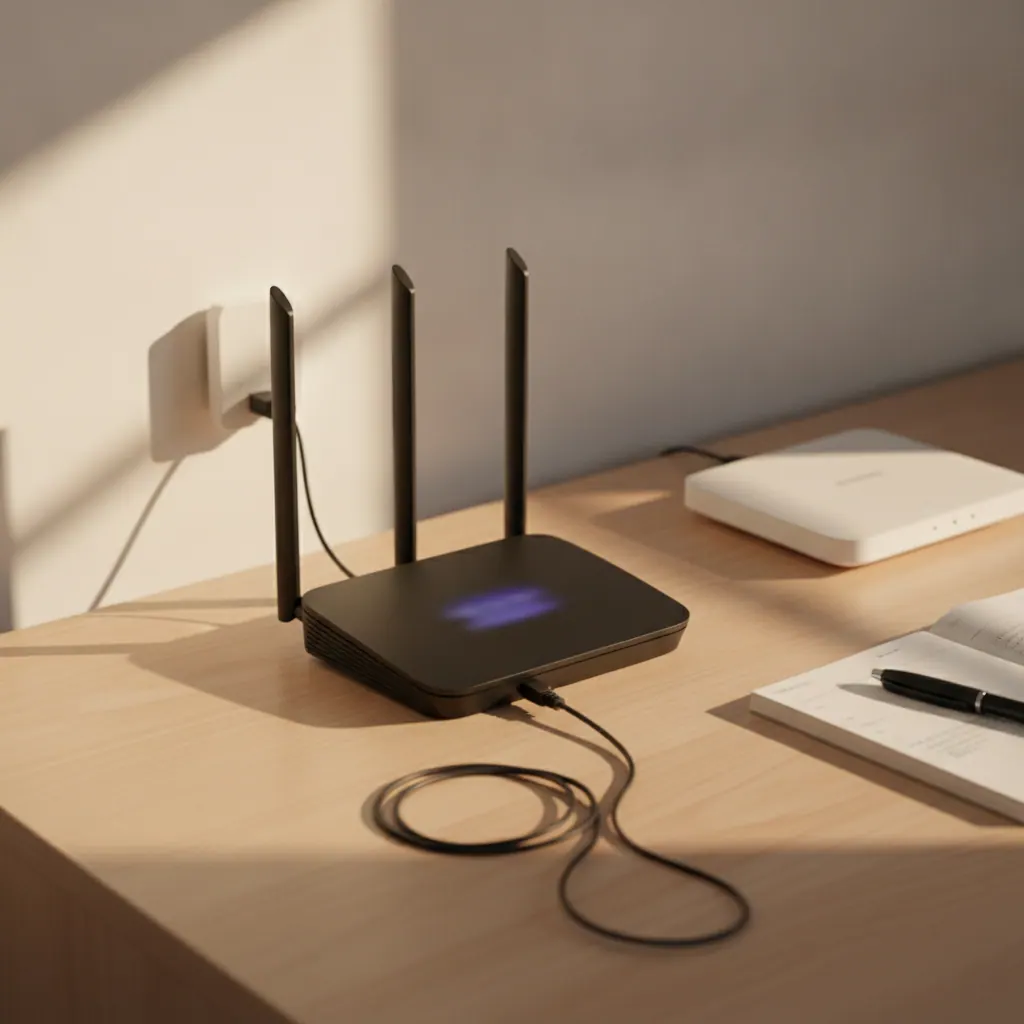
The eero 6+ is a dual-band Wi-Fi 6 mesh with gigabit Ethernet, and its appeal is the setup: about ten minutes from a phone, then you never see a settings page again. A three-pack is around £300 (as of September 2026). It also brings an Alexa speaker connection and a Zigbee smart-home hub built in, so an Amazon-heavy house slots it in neatly.
The hard limit on Sky: eero does not expose DHCP Option 61, so it cannot replace the Sky hub. It’s Path A only — bridge or AP mode behind the hub, with the Sky hub’s Wi-Fi off. Fine for most homes, but you’re always running two boxes, and ad blocking and advanced security sit behind the eero Plus subscription. Our EE router guide rates eero higher because EE lets it do more; on Sky the hub-replacement block caps its score.
Pros
- Fastest, simplest setup here
- Alexa connection and Zigbee hub built in
- Tidy hardware that hides on a shelf
Cons
- No Option 61 — cannot replace the Sky hub
- Always two boxes to manage
- Best features need eero Plus

DrayTek Vigor — best for keeping Sky Talk on a replacement router
The DrayTek Vigor line (the 2765 and 2766 for FTTC, or an FTTP model) is the tinkerer’s pick, and it does one thing nothing else here manages: it can carry Sky Talk over VoIP on a replacement device. DrayTek publishes an official Sky setup guide covering the DHCP Option 61 string, and Vigor models with an FXS phone port can take Sky’s SIP settings so a normal handset keeps working after the Sky hub is gone. Prices run around £150 to £220 (as of September 2026).
The trade-offs are real. Wi-Fi on the Vigor range is dated or absent depending on model, so you’ll usually pair it with your own access point — more cost, more boxes. The interface is business-grade, and getting Sky Talk working over SIP is fiddly and not officially supported by Sky. This is for someone who wants VLANs, VPN and a landline on their own hardware and enjoys the process. Everyone else should take Path A and keep the Sky hub for the phone.
Pros
- Only pick that can keep Sky Talk on a replacement
- Official DrayTek Sky setup guide
- VLANs, VPN and deep network control
Cons
- Dated or no Wi-Fi — needs a separate access point
- Business-grade interface, steep learning curve
- Sky Talk over SIP is unofficial and fiddly

Two others worth a name-check: the Netgear Orbi range works well in AP mode behind the Sky hub for large houses, and the GL.iNet Flint 2 is a cheap (~£90, as of September 2026) Option 61-capable router for a full replacement if you’re comfortable in a settings page.
Full comparison: Sky hub vs the third-party picks
How the shortlist stacks up against the Sky Max Hub you’d be adding to or replacing.
| Router | Wi-Fi | Sky path | Price (Sep 2026) |
|---|---|---|---|
| Sky Max Hub SR213 | Wi-Fi 6 dual-band | Sky’s own | Bundled |
| TP-Link Deco X55 (3-pack) | Wi-Fi 6 dual-band | A only | ~£160 |
| ASUS RT-AX88U Pro | Wi-Fi 6 dual-band | B | ~£200 |
| ASUS RT-BE88U | Wi-Fi 7 dual-band | B | ~£280–£320 |
| Amazon eero 6+ (3-pack) | Wi-Fi 6 dual-band | A only | ~£300 |
| TP-Link Deco XE75 Pro (3-pack) | Wi-Fi 6E tri-band | A only | ~£280–£350 |
| DrayTek Vigor 2766 | Wi-Fi 6 (varies) | B (+ VoIP) | ~£150–£220 |
Which is the best router for Sky Broadband for you?
The right pick comes down to your path, your line speed, and whether you use the Sky landline.
If you want the least hassle and keep the Sky landline
Buy the TP-Link Deco X55 and run it in access-point mode behind the Sky hub. Five-minute setup, no Option 61, Sky Talk keeps working, around £160 for a three-pack.
If you want to bin the Sky hub entirely
Get the ASUS RT-AX88U Pro, or the RT-BE88U on Gigafast — documented Option 61 support and full control, if you accept a proper setup session and losing Sky Talk.
If your home leans on Amazon and Alexa
Choose the Amazon eero 6+. It only runs behind the Sky hub, but the ten-minute setup and built-in Zigbee hub make it the easiest whole-home fix for a smart-home household.
If you have thick walls and can’t run cable
Go for the TP-Link Deco XE75 Pro. The 6GHz backhaul band keeps far-room speeds up when wired backhaul isn’t an option — and it’s often cheaper than the standard XE75.
If you want to keep Sky Talk on a replacement router
The DrayTek Vigor is the only pick that manages it, via VoIP and an FXS port. Expect to add your own access point and spend time on the SIP setup.
How to set up a third-party router or mesh on Sky Broadband: step by step
This covers both paths on Sky Full Fibre. Read step 2 before you unplug anything if you use the Sky Talk landline.
- Work out your line type and pick your path. FTTP means an Openreach ONT on the wall with an Ethernet lead to the Sky hub; a phone-style cable into the hub means FTTC and you’ll need a VDSL modem. Decide now: Path A (mesh in access-point mode behind the Sky hub) or Path B (full hub replacement with an Option 61-capable router).
- If you use the Sky Talk landline, plan around it. It plugs into the TEL port on the back of the Sky hub. On Path A the hub stays put, so the phone keeps working. On Path B you lose Sky Talk unless you keep the hub connected for the phone, or use a router with a VoIP/FXS port and Sky’s SIP details (a DrayTek Vigor can; most consumer routers can’t).
- Path A — run an Ethernet cable from a LAN port on the Sky hub to your mesh’s WAN port, then set the mesh to access-point mode (sometimes AP mode or bridge mode) in its app. That switches off the mesh’s routing, so there’s no double-NAT.
- Path A — log into the Sky hub (usually 192.168.0.1) and turn off its 2.4GHz and 5GHz Wi-Fi so devices only see your new mesh.
- Path B — unplug the Ethernet cable from the Sky hub’s WAN port at the ONT end and plug it into your new router’s WAN port. On Gigafast or Gigafast+, use a 2.5GbE or faster WAN port.
- Path B — set the connection type to DHCP (not PPPoE) and find the Option 61 / client identifier field. Enter a value in the format name@skydsl|password as a hex-encoded ASCII string. As an example, the dummy text
example@skydsl|passbecomes6578616d706c6540736b7964736c7c70617373in hex. Many routers convert the text for you; if not, any ASCII-to-hex tool does it. On current Sky lines the exact credentials don’t matter, only the format. - Save and wait one to two minutes. You’re online when the router shows a WAN IP and the internet light goes solid.
- Set your Wi-Fi name and password, then run a speed test on a wired device to confirm you’re getting your Sky plan speed.
- If it won’t connect, check the current requirement with Sky or the Sky Community — Sky can change what it expects per line, and a few older lines still need a real hashed password rather than any formatted string.
Best router for Sky Broadband FAQ
Can I use my own router with Sky Broadband?
Yes, on Sky Full Fibre — connect the router to the Openreach ONT by Ethernet and it replaces the Sky hub. You set DHCP Option 61 (the client ID) in the format name@skydsl|password as a hex string, and Sky accepts any correctly formatted value on current lines. Part-fibre also needs a VDSL modem. There’s no bridge or modem mode on the Sky hub, and replacing it ends the Sky Talk landline unless you keep the hub for the phone (Sky Community, as of September 2026).
Does the Sky Broadband Hub have a modem mode?
No. Unlike BT and EE, Sky hubs — the SR203 and the Max Hub SR213 — have no modem or bridge mode, so you cannot demote one to a dumb modem. Your options are to fully replace the hub with your own router connected to the Openreach ONT, or to run a mesh or router in access-point mode behind it (Sky Community, as of September 2026).
What are my Sky Broadband username and password?
Sky Broadband doesn’t use a PPPoE username and password like BT or EE. For a third-party router on current Sky lines you don’t need real credentials — a correctly formatted DHCP Option 61 string (anything@skydsl|anything, hex-encoded) is enough. Older setups needed a hashed password worked out from account details; if a router won’t connect, check the current requirement with the Sky Community (as of September 2026).
Is Sky WiFi Max worth it?
Sky WiFi Max costs around £8/mo (as of September 2026 — verify with Sky) for the Wi-Fi 6 Max Hub, up to three mesh pods and a coverage guarantee. It’s good value if you don’t want to buy or configure your own kit. A one-off mesh in access-point mode at around £160 pays for itself in under two years, and you keep it if you leave Sky — but you handle the setup yourself.
Can I use a mesh system with Sky Broadband?
Yes. The simplest way is to put the mesh in access-point mode behind the Sky hub and turn the Sky hub’s Wi-Fi off — any mesh works like this, and it keeps Sky Talk. To remove the Sky hub entirely you need a mesh that supports DHCP Option 61: some TP-Link Deco firmware does, ASUS AiMesh does, and Amazon eero does not (as of September 2026).
Will I lose my Sky landline if I replace the hub?
Yes, unless you keep the Sky hub connected purely for the phone or use a router with a VoIP/FXS port set up with Sky’s SIP details. Sky Talk voice runs through the TEL port on the Sky hub, so removing the hub removes the landline. Most consumer routers can’t do the VoIP workaround; a DrayTek Vigor with a phone port can. Sky broadband-only customers aren’t affected (Sky Community, as of September 2026).
Ready to fix your Sky Wi-Fi?
Check current UK prices on the picks from this guide. All prices were correct as of September 2026 — verify the live figure before you buy.
We only recommend kit we would fit in our own homes. Prices and specs were checked in September 2026 — Amazon pricing moves around, so tap through for the live figure before you buy. Sky can change what it expects from a third-party router per line, so confirm the current Option 61 requirement with Sky or the Sky Community if a setup won’t connect. If we’ve missed a router that works well on Sky, let us know.

Written by Vaibhav Kulkarni
Vaibhav is the founder and technical editor of TheTechVector, with 15 years’ experience in quality engineering and software testing. He applies that background to auditing spec sheets, comparing price-to-performance, and checking hardware compatibility across our UK broadband, laptop, VPN, and smart home guides. All prices are checked before publication — if something’s out of date, let us know.
This site contains affiliate links to products. We may receive a commission for purchases made through these links.
