
Affiliate disclosure: TheTechVector earns a commission if you sign up via links on this page, at no extra cost to you. Our recommendations are based on independent research — we are not paid to favour any provider. Learn more about how we make money.

The best smart plugs UK shoppers can buy right now start at under a tenner and let you switch any lamp, fan or appliance on and off from your phone, a voice command, or a timer — no electrician required. For most people, TP-Link’s Tapo P110M is the one to buy: it tracks how much electricity whatever’s plugged into it is using, it’s Matter-certified so it pairs natively with Apple Home, Google Home, Alexa and Samsung SmartThings — and, as of writing, it costs exactly the same as the non-Matter P110. Apple HomeKit households should look at Eve Energy instead; the cheapest option is a Tapo P100 or Meross plug, for well under £15. Most WiFi smart plugs need no hub — but a few, including Hive’s, do. We cover which below, plus what energy monitoring tells you and how to set one up in minutes.
Last updated: September 2026
Our top pick is the TP-Link Tapo P110M at ~£9.99 — it tracks how much electricity whatever’s plugged in is using and is Matter-certified, so it pairs natively with Apple Home, Google Home, Alexa and SmartThings.
Check Price on Amazon →
| Smart Plug | Rating | Price | Deal |
|---|---|---|---|
| TP-Link Tapo P110M | 9.2/10 | ~£9.99 | View Deal |
| Eve Energy | 8.8/10 | ~£35–40 | View Deal |
| Shelly Plug S | 8.6/10 | £17.61 | View Deal |
| TP-Link Tapo P100 | 8.5/10 | ~£8–10 | View Deal |
| Meross MSS310 (4-pack) | 8.3/10 | ~£40–50 | View Deal |
| Meross MSS110 | 8.1/10 | ~£17 | View Deal |
| Tapo P100 Outdoor | 7.9/10 | Check current price | View Deal |
| Philips Hue Smart Plug | 7.5/10 | ~£29.99 | View Deal |
| Amazon Smart Plug | 7.0/10 | ~£15–20 (volatile) | View Deal |
| Hive Active Plug | 6.8/10 | Check current price | View Deal |
TheTechVector Rating is our own editorial score (not a survey or third-party source) weighing price, energy-monitoring features, hub/ecosystem requirements and voice-assistant compatibility — see our editorial policy.

What Is a Smart Plug, and Do You Need a Hub?
A smart plug is a small adapter that sits between a wall socket and whatever you plug into it — a lamp, a fan, a space heater — letting you turn it on or off from an app, a voice assistant or a schedule, without rewiring anything. Most UK smart plugs need nothing extra: they connect straight to your home WiFi, no separate box required.
That’s the most confusing thing for first-time buyers, because a handful of plugs quietly break that rule. Here’s who needs what, so you don’t end up with a second purchase.
| Brand / product | Needs a separate hub? |
|---|---|
| TP-Link Tapo, Amazon, Meross, Govee, Shelly | No — connects directly to your WiFi router |
| Hive Active Plug | Yes — requires the Hive Hub, connects via Zigbee not WiFi (Amazon UK listing, checked Sept 2026) |
| Philips Hue Smart Plug | Works over Bluetooth for basic on/off without a Hue Bridge, but you lose away-from-home control and sunrise/sunset routines without one (philips-hue.com, checked Sept 2026) |
| Third Reality Plug UZ1 | Yes — needs a Zigbee coordinator such as a Home Assistant, SmartThings or Hubitat hub |
There’s also a newer standard worth knowing: Matter, a cross-brand protocol backed by Amazon, Apple, Google and Samsung, letting one plug pair natively with all their apps rather than locking you into one. We cover what it means, and whether it’s worth paying extra for, further down — spoiler: often it isn’t. Setting up your first smart plug alongside other kit? Our beginner’s guide to smart homes UK covers pairing everything together from scratch.
Best Smart Plugs UK 2026: Quick Picks by Category
If you only read one section, read this: the Tapo P110M is the best smart plug for most UK homes right now, Eve Energy is the pick for Apple HomeKit, and the basic Tapo P100 is the cheapest sensible option without energy monitoring.
Best Overall ★ 9.2
TP-Link Tapo P110M
Energy monitoring plus Matter certification, at the same price as the non-Matter model.
~£9.99
Best for Apple HomeKit ★ 8.8
Eve Energy
Native HomeKit with energy monitoring, no bridge needed if you already own a HomePod or Apple TV.
~£35–40
Best Budget ★ 8.5
TP-Link Tapo P100
No energy monitoring, but rock solid and the cheapest sensible pick on this list.
~£8–10
Best for Alexa-Only Homes ★ 7.0
Amazon Smart Plug
Simplest Alexa pairing of anything here — but no energy monitoring and confusing pricing/naming.
~£15–20
Best Outdoor ★ 7.9
TP-Link Tapo P100 Outdoor
IP44-rated for garden lights, water features and Christmas lights left out in the rain.
Check current price
TP-Link Tapo P110 vs P110M: Best Overall
The Tapo P110M is £9.99 direct from TP-Link’s official UK store (checked 11 September 2026) — the same price as the non-Matter P110. That’s the whole pitch: Matter certification, pairing natively with Apple Home, Google Home and Samsung SmartThings via a QR code, alongside Alexa and the Tapo app, for zero extra cost. Most competitors still treat Matter as a mark-up feature; with Tapo, it isn’t one.
Both track live wattage, daily/monthly kWh and running cost in the Tapo app, plus schedules and away mode (random on/off patterns to fake an occupied house). The standard P110 runs ~£10–15 depending on retailer — prices spread between £8.95 and £19.98 across UK sites as of September 2026, so check the live price. Both are compact enough not to block the second socket on a typical UK double outlet, unlike some bulkier rivals.
Pros
- Matter certification on the P110M costs nothing over the standard P110
- Real energy monitoring — watts, kWh and running cost, not just on/off
- Works with Alexa, Google Home, Apple Home and SmartThings (P110M)
- Compact enough not to block the second socket on a UK double outlet
Cons
- 2.4GHz WiFi only — won’t join a 5GHz-only network
- Tapo app pushes an account sign-up and cloud features by default
- Matter’s QR-code pairing is fiddlier than just telling Alexa to “discover devices”
If you don’t need energy monitoring, the plain Tapo P100 (~£8–10 single, ~£22–30 for a 4-pack, smarthomesetup.co.uk, checked June 2026) covers basic on/off, scheduling and Alexa/Google/Tapo-app control for less — the plug for a reader who just wants a lamp on a timer.
Best for Apple HomeKit, Alexa-Only Homes and Local Control
Eve Energy is the plug to buy if you’re committed to Apple’s ecosystem and want energy monitoring without a bridge; the Amazon Smart Plug is the simplest option if Alexa is genuinely the only voice assistant in your house; and the Shelly Plug S is the one to pick if you run Home Assistant or just don’t want a cloud account involved at all.
Eve Energy — the only mainstream native HomeKit plug with energy monitoring
Eve Energy runs ~£35–40 (smarthomesetup.co.uk, checked June 2026) — more than any Tapo or Meross option — because it’s a genuinely native Apple HomeKit device using Thread, not a proprietary cloud API. A HomePod mini, HomePod or Apple TV 4K you already own acts as the Thread border router automatically, so no separate bridge or Eve account is needed.
Functionally it matches the Tapo P110M — live wattage, energy history, scheduling — but at 3–4x the price, it only makes sense if you’re specifically in Apple’s ecosystem. Mixed Alexa/Google/Apple households get the same HomeKit coverage from the P110M’s Matter certification for a fraction of the cost.
Pros
- Native HomeKit, no bridge needed if you own a HomePod/Apple TV
- No Eve account or third-party cloud login required
- Energy monitoring built in, same feature depth as Tapo P110M
Cons
- 3–4x the price of a Tapo P110M for the same core features
- No Alexa or Google Home support at all — HomeKit only
- Needs a HomePod or Apple TV present as a Thread border router for remote access
Amazon Smart Plug — easiest Alexa pairing, but check the price carefully
If Alexa is your only voice assistant, the Amazon Smart Plug pairs about as simply as it gets — say “Alexa, discover my devices” and it shows up, no QR code required. It has no energy monitoring and no Google/Apple support, a one-ecosystem product by design. Pricing is genuinely confusing and no competitor addresses it: Amazon sells this under at least two listings — “Amazon Smart Plug” and “Amazon Basics Single Outlet Indoor Wi-Fi Smart Plug” — ranging from a promotional ~£5 up to ~£25 full price (GearVersusTech, checked July 2026). Treat ~£15–20 as a rough mid-point and check the live listing.
Pros
- Simplest possible Alexa pairing — no QR code, no third-party app
- Frequently discounted in Amazon promotions
Cons
- No energy monitoring
- Alexa only — no Google Home, Apple Home or Matter
- Pricing and naming between listings is genuinely inconsistent — check before buying
Shelly Plug S — best for Home Assistant and local control
Shelly Plug S runs £17.61 (Shelly Store, checked September 2026) and suits anyone running Home Assistant, or who doesn’t want a plug phoning home to a manufacturer’s cloud. It’s controllable entirely over your local network via MQTT, with no internet or account needed for basic on/off — useful if your broadband drops. Alexa and Google Home still work through Shelly’s optional cloud, but there’s no Matter or native HomeKit, so Apple-first households should pick Eve Energy instead.
Pros
- Works entirely locally — no cloud account required for core functions
- Home Assistant/MQTT-friendly, popular with smart home enthusiasts
- Still supports Alexa and Google Home if you want cloud voice control too
Cons
- No Matter or native HomeKit support
- Setup assumes some comfort with networking — less beginner-friendly than Tapo
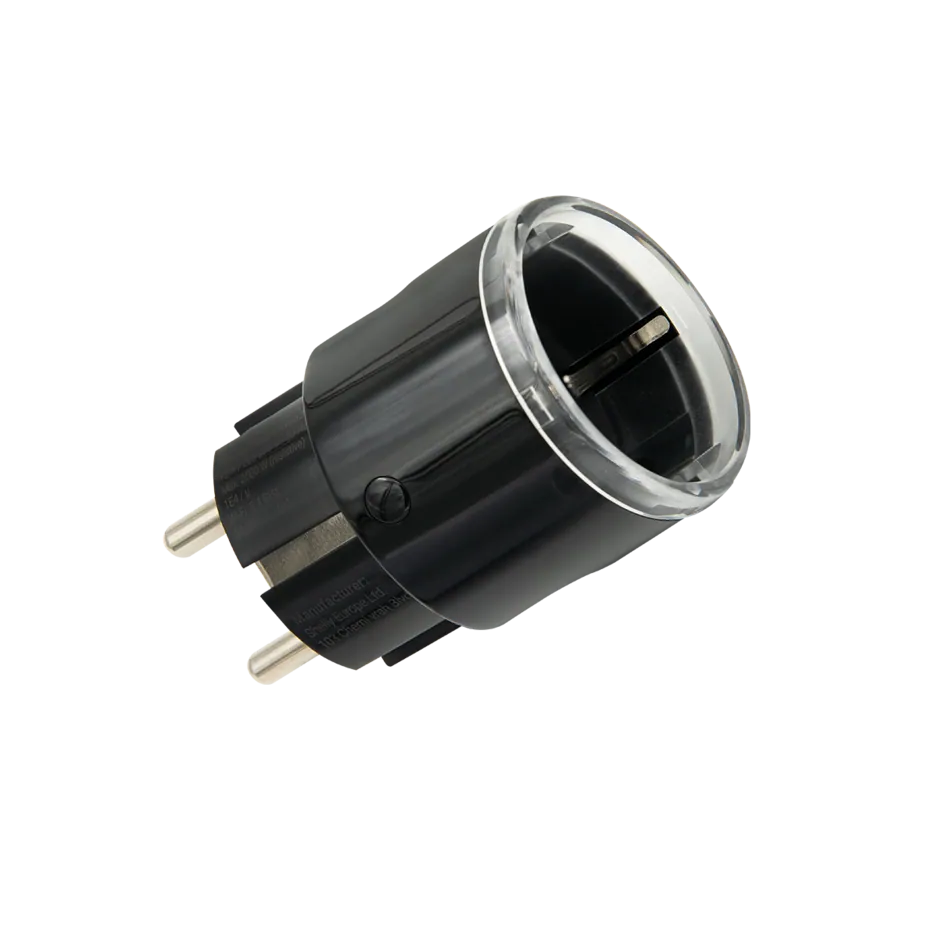

Budget-minded HomeKit households have one more option: the Meross MSS110 (~£17, GearVersusTech, checked July 2026) supports Alexa, Google Home and Apple HomeKit via a firmware update, without Matter or energy monitoring — a sensible middle ground if Eve Energy’s price puts you off.

Best Outdoor, Multi-Pack and Ecosystem Picks (Hive, Hue, Govee)
Kitting out several sockets, buying into an ecosystem you already own, or need something rated for outside? The right pick depends less on features and more on what you’ve already committed to.
Meross MSS310 4-pack — best multi-pack for energy monitoring on a budget
The Meross MSS310 four-pack runs ~£40–50 (smarthomesetup.co.uk, checked June 2026) — roughly £10–12 per plug, competitive against four Tapo P110s individually, with the same live wattage and kWh tracking (HomeKit needs a firmware update, not out of the box). It’s sensible for fitting out a whole room — lamps, a fan and a TV on separate schedules. Meross also sells a four-outlet power strip (~£35, simpled.uk, checked May 2026) worth considering if everything’s clustered around one desk.
Pros
- Lowest per-plug cost of any energy-monitoring option here when bought as a 4-pack
- Energy monitoring included on every plug, not just the flagship model
Cons
- HomeKit needs a firmware update, not native out of the box
- No Matter certification
Philips Hue Smart Plug — best if you already own Hue lights
Philips Hue’s plug is £29.99 single or £89.97 for a 3-pack (philips-hue.com, corroborated by John Lewis and PriceSpy, checked September 2026) — pricier than Tapo or Meross, with no energy monitoring. The reason to buy it anyway is ecosystem fit: with existing Hue bulbs and a Bridge, it joins the same app and routines. Without a Bridge it works over Bluetooth for basic on/off only. If you don’t already own Hue kit, a Tapo P110M at a third of the price does more.
Pros
- Joins the same app and routines as existing Hue lights instantly
- Works over Bluetooth for basic control even without a Bridge
Cons
- No energy monitoring at any price
- Significantly pricier than a Tapo or Meross plug with more features
- Loses away-from-home control and routines without a Hue Bridge
Three more worth a brief mention. The Hive Active Plug is the one genuine outlier here — it “works with Hive Hub” (Amazon UK listing, checked September 2026), connecting via Zigbee, price unconfirmed this session. It only suits existing Hive heating households; otherwise a Tapo or Meross plug does the same job for less, no hub needed. Tapo’s P100 Outdoor is an IP44-rated P100 for garden lights or anything you’d otherwise run an extension lead to. Govee sells a WiFi plug for Alexa and Google Assistant (no HomeKit) — price unconfirmed this session, so compare it against Tapo’s before assuming it’s cheaper.

Best Smart Plugs UK: Full Comparison Table
| Product | Price | Works with | Rating |
|---|---|---|---|
| Tapo P110M | ~£9.99 | Matter (all platforms) | 9.2/10 |
| Tapo P110 | ~£10–15 | Alexa/Google | 8.9/10 |
| Tapo P100 | ~£8–10 | Alexa/Google | 8.5/10 |
| Tapo P100 Outdoor | Check price | Alexa/Google | 7.9/10 |
| Eve Energy | ~£35–40 | Apple only | 8.8/10 |
| Meross MSS110 | ~£17 | Alexa/Google/HomeKit | 8.1/10 |
| Meross MSS310 (4-pack) | ~£40–50 | Alexa/Google/HomeKit | 8.3/10 |
| Amazon Smart Plug | ~£15–20 | Alexa only | 7.0/10 |
| Shelly Plug S | £17.61 | Alexa/Google, local | 8.6/10 |
| Philips Hue Smart Plug | ~£29.99 | Hue + Alexa/Google | 7.5/10 |
| Hive Active Plug | Check price | Hive Hub only | 6.8/10 |
| Govee Smart Plug | Check price | Alexa/Google | 7.2/10 |
| Third Reality Plug UZ1 | Check price | Home Assistant/Zigbee | 7.4/10 |
Hub and energy-monitoring requirements aren’t in the table above to keep it readable on a phone — they’re covered per-product in the reviews further up, and energy monitoring gets its own explanation next.
Energy Monitoring Explained: What the Numbers Actually Mean
Energy monitoring shows, in near-real time, how many watts whatever’s plugged in is drawing, then adds that into daily/monthly kWh so you can see what’s actually costing money — not just guess. It’s the biggest reason to pay extra for a P110M or Eve Energy over a basic P100.
A worked example: a 2,000W space heater running for an hour uses 2kWh. At a typical UK unit rate of roughly 25–30p/kWh (check your latest bill — your rate depends on your tariff and Ofgem’s quarterly cap), that’s ~50–60p an hour, several pounds if left on overnight. A 5W standby device, by contrast, costs a fraction of a penny an hour. Seeing the number makes it obvious which habits are worth changing.
Where it doesn’t help: it only tracks what’s plugged into that one socket, not your whole house, and it’s not a substitute for a proper smart meter. Think of it as a spotlight on one appliance at a time.
Choosing the Right Smart Plug for You (Including Easy Setup for Older or Disabled Users)
The right smart plug comes down to which voice assistant you use, whether you want to see energy usage, and how much setup friction is acceptable. Here’s the shortest path for each situation.
If you use Alexa
Any Tapo, Meross or the Amazon Smart Plug pairs in under a minute by saying “Alexa, discover my devices.” Choose the P110M for energy data; choose the Amazon Smart Plug for the simplest setup. Still deciding between Alexa and Google? Our Amazon Echo vs Google Nest UK comparison covers which to choose first.
If you use Google Home
Tapo, Meross, Shelly and Govee all support Google Home. The Tapo P110M is still the strongest all-rounder here since it adds energy monitoring at no extra cost over the non-monitoring P110.
If you’re all-in on Apple HomeKit
Eve Energy is the only mainstream option with native HomeKit and energy monitoring together, no bridge required if you already own a HomePod or Apple TV. If budget matters more, the Tapo P110M’s Matter certification or the Meross MSS110’s firmware-added HomeKit support both work, just via a QR-code pairing route rather than Eve’s fully native integration.
If you already run Home Assistant or a Zigbee hub
Shelly Plug S is the obvious pick for local, cloud-free control via MQTT. Building a Zigbee mesh instead of WiFi? The Third Reality Plug UZ1 is a niche option worth knowing about — no confirmed UK price this session, so check the live listing.
If you or a family member finds apps fiddly
Skip Matter’s QR-code pairing if simplicity matters more than future-proofing — a Tapo P100 or the Amazon Smart Plug pairs with a one-step “discover devices” voice command instead. Look for a plug body that’s easy to grip and doesn’t block the second socket on a crowded UK double outlet. We haven’t tested screen-reader compatibility (VoiceOver, TalkBack) for every app this session, so check the App Store/Play Store rating first if that’s a firm requirement.
How to Set Up a Smart Plug in Under 5 Minutes
The steps below cover a standard WiFi smart plug — Tapo, Meross, Amazon, Govee and Shelly all follow roughly this process. Hive and Third Reality plugs pair through their respective hub’s own app instead, and Philips Hue pairs through the Hue app once the Bridge (or Bluetooth) is set up.
- Plug it into a wall socket directly (not an extension lead) and wait for the LED to flash — that’s pairing mode.
- Download the manufacturer’s app (Tapo, Meross, or your voice assistant’s app for the Amazon Smart Plug) and sign in.
- Choose “Add device” and connect your phone to the plug’s temporary WiFi signal.
- Select your home WiFi network and enter the password — most plugs only support 2.4GHz, not 5GHz.
- Name the plug specifically (“Lamp — living room”) so voice commands stay manageable.
- Link the app to Alexa, Google Home or Apple Home (via Matter, if supported) for voice control.
If several smart plugs are competing for bandwidth, check how much broadband speed smart devices need — each plug uses little data alone, but an overloaded connection still causes lag. Setting plugs up as your first smart home purchase? Our guide to setting up a smart home in the UK walks through pairing a hub, plugs and lighting from scratch.
FAQ
What is a smart plug and how does it work?
A smart plug is an adapter that fits between a wall socket and an appliance, letting you turn it on or off from a smartphone app, a voice assistant, or a schedule. Most connect straight to your home WiFi, though a few (Hive, some Zigbee models) need a separate hub.
Do smart plugs need a hub?
Most WiFi smart plugs — Tapo, Amazon, Meross, Govee, Shelly — need no hub and connect straight to your router. The Hive Active Plug is the main exception, requiring the Hive Hub via Zigbee, and the Philips Hue plug needs a Hue Bridge for away-from-home control and routines, though basic Bluetooth on/off works without one.
Are smart plugs safe, and can I use one with a kettle or heater?
Reputable smart plugs carry standard UK electrical safety certifications and overload protection that cuts power if a device draws too much current. For a kettle, heater or other high-draw appliance, only use one explicitly rated for that wattage (commonly 13A/3,000W — confirm on the listing), since kettles draw very high current in short bursts. Buy from a recognised brand, not an unbranded listing with no safety marking.
Do smart plugs actually save money on electricity bills?
Smart plugs save money indirectly — by showing you (energy-monitoring models) or letting you automate (any model) switching off things you’d otherwise forget, like a heater left on in an empty room. The plug itself doesn’t reduce anything on its own; the saving comes from the scheduling and visibility it gives you.
Do smart plugs work without WiFi, or if the internet goes down?
Most WiFi smart plugs still work for basic local on/off if your internet drops but your home WiFi stays up, though voice-assistant and away-from-home control stop until connectivity returns. The Shelly Plug S is the most capable option here, supporting fully local control via MQTT that doesn’t depend on the manufacturer’s cloud at all.
What’s the best smart plug for Alexa, Google Home or Apple HomeKit in the UK?
For Alexa or Google Home, the TP-Link Tapo P110M is the strongest all-rounder, adding energy monitoring at the same price as the non-monitoring P110. For Apple HomeKit specifically, Eve Energy is the only mainstream option with native support and energy monitoring together, though the P110M’s Matter certification also covers HomeKit at a much lower price.
How many smart plugs can my home WiFi router realistically handle?
Most home routers can comfortably handle several dozen smart plugs alongside phones, laptops and TVs, since each plug uses very little bandwidth. The more realistic limit is your router’s 2.4GHz band getting congested — if WiFi slows after adding several plugs, our 2.4GHz vs 5GHz WiFi guide explains why.
What is Matter, and is a Matter-certified smart plug worth paying extra for?
Matter is a cross-brand smart home standard backed by Amazon, Apple, Google and Samsung, letting one device pair natively with all their apps instead of locking you into one ecosystem. It’s usually not worth paying extra for — the Matter-certified Tapo P110M costs exactly the same as the non-Matter P110 (£9.99 each, official store, checked September 2026).
Ready to Buy? Here Are Our Top Picks
For most UK homes, start with the Tapo P110M. Apple HomeKit households should go straight to Eve Energy, and anyone running Home Assistant should look at the Shelly Plug S.
Once your plugs are set up, our smart home cost UK guide is worth a read if you’re planning to add lighting, cameras or a proper hub next. And since a shaky connection affects every smart device in the house, it’s worth checking you’ve got fast reliable broadband underneath everything else.
Affiliate disclosure: TheTechVector earns a commission if you buy through links on this page, at no extra cost to you. We chose every product in this guide based on price, features and ecosystem fit — not on how much commission it pays.

Written by Vaibhav Kulkarni
Vaibhav is the founder and technical editor of TheTechVector, with 15 years’ experience in quality engineering and software testing. He applies that background to auditing spec sheets, comparing price-to-performance, and checking hardware compatibility across our UK broadband, laptop, VPN, and smart home guides. All prices are checked before publication — if something’s out of date, let us know.
This site contains affiliate links to products. We may receive a commission for purchases made through these links.
