
Affiliate disclosure: TheTechVector earns a commission if you sign up via links on this page, at no extra cost to you. Our recommendations are based on independent research — we are not paid to favour any provider. Learn more about how we make money.

Finding the best mesh WiFi system UK buyers can get in 2026 comes down to three things: how big and awkward your home is, how fast your broadband line actually runs, and how much you want to tinker. This guide ranks the systems worth buying — TP-Link Deco, Amazon eero, Netgear Orbi, Google Nest Wifi Pro and ASUS ZenWiFi — on UK price, real coverage for British houses, and how their node-to-node link is built. We also answer the question half of you are really asking: do you need mesh at all, or is the router your broadband provider already gave you enough?
Last updated: September 2026
Short answer: the best mesh WiFi system for most UK homes in 2026 is the TP-Link Deco X55, a three-pack that covers a typical 3-bed house for around £160 (as of September 2026 — check current price). It runs Wi-Fi 6, has three Gigabit ports on every unit, and works with wired or wireless backhaul. If you want the least fuss and run an Alexa smart home, the Amazon eero 6+ is easier to set up and has a Zigbee hub built in, at roughly £300 for a three-pack. For a large, thick-walled or three-storey home, the Netgear Orbi 770 Series reaches further. Wi-Fi 7 mesh — the TP-Link Deco BE65 or Amazon eero Pro 7 — only earns its price if you have a multi-gig full-fibre line and very recent phones and laptops. Before you buy anything, check your broadband provider’s hub: EE ships Wi-Fi 7 as standard, and TalkTalk puts an eero in the box.
Best mesh WiFi system UK 2026: our top picks at a glance
The TP-Link Deco X55 is our overall pick for most UK homes: about £160 for a three-pack (as of September 2026 — check current price) buys genuine whole-home Wi-Fi 6 coverage with wired-backhaul support. Below are the category winners, each with our editorial rating, an indicative current price and a buy link. Every price here is flagged for a live check before you pay — UK pack sizes and SKUs shift constantly.
Best overall ★ 8.7
TP-Link Deco X55 (3-pack)
The cheapest route to solid whole-home coverage for a typical UK 3-bed. Wi-Fi 6, three Gigabit ports per unit, wired or wireless backhaul.
~£160 (as of September 2026 — check current price)
Best value ★ 8.2
Amazon eero 7 (3-pack)
The cheapest way into Wi-Fi 7 mesh right now, with the same no-fuss eero app. Dual-band, so lean on wired backhaul in bigger homes.
~£290–£350 (as of September 2026 — check current price)
Best for large homes ★ 8.0
Netgear Orbi 770 Series (2-pack)
Strong radios and easy setup for detached, three-storey and thick-walled homes. Just know the LAN ports are gigabit, not 2.5Gb.
~£320 (as of September 2026 — check current price)
Best Wi-Fi 7 ★ 8.3
TP-Link Deco BE65 (2–3-pack)
Tri-band Wi-Fi 7 with four 2.5Gb ports on every node. The mainstream future-proof pick — if your line and devices can use it.
~£420–£470 (as of September 2026 — pricing is SKU-dependent, check carefully)
Best Wi-Fi 6E mesh ★ 7.9
TP-Link Deco XE75 / XE75 Pro (3-pack)
Tri-band, with a dedicated 6GHz band the nodes use for backhaul — without Wi-Fi 7 prices. A squeeze between the cheaper X55 and the future-proof BE65, but the pick if you want tri-band now.
~£280–£350 for a three-pack (as of September 2026 — volatile; the XE75 Pro, with 2.5Gb ports, is often cheaper than the standard XE75)
Best budget ★ 8.2
TP-Link Deco X50 (or a Deco X55 2-pack)
Two-node coverage for a flat, a small semi or one stubborn dead spot. Wi-Fi 6, three Gigabit ports, wired-backhaul ready.
~£120 for a Deco X50 1-pack / ~£130 for a Deco X55 2-pack (as of September 2026 — check current price)
Best for smart homes ★ 8.5
Amazon eero 6+ (3-pack)
The easiest system to live with, with a Zigbee smart-home hub built in. Ideal for Alexa households and TalkTalk customers extending a bundled eero.
~£300 (as of September 2026 — check current price)
| Mesh system | TheTechVector Rating | Indicative UK price | Deal |
|---|---|---|---|
| TP-Link Deco X55 (3-pack) | 8.7/10 | ~£160 (Sept 2026) | View Deal |
| Amazon eero 6+ (3-pack) | 8.5/10 | ~£300 (Sept 2026) | View Deal |
| TP-Link Deco BE65 (2–3-pack) | 8.3/10 | ~£420–£470 (Sept 2026) | View Deal |
| Amazon eero 7 (3-pack) | 8.2/10 | ~£290–£350 (Sept 2026) | View Deal |
| TP-Link Deco X50 (1-pack) | 8.2/10 | ~£120 (Sept 2026) | View Deal |
| Netgear Orbi 770 Series (2-pack) | 8.0/10 | ~£320 (Sept 2026) | View Deal |
| ASUS ZenWiFi BD4 (1-pack, scales up) | 8.0/10 | ~£90 (Sept 2026) | View Deal |
| TP-Link Deco XE75 / XE75 Pro (3-pack) | 7.9/10 | ~£280–£350 (Sept 2026) | View Deal |
| Google Nest Wifi Pro (3-pack) | 7.4/10 | ~£340–£380 (Sept 2026) | View Deal |
First, do you actually need a mesh WiFi system?
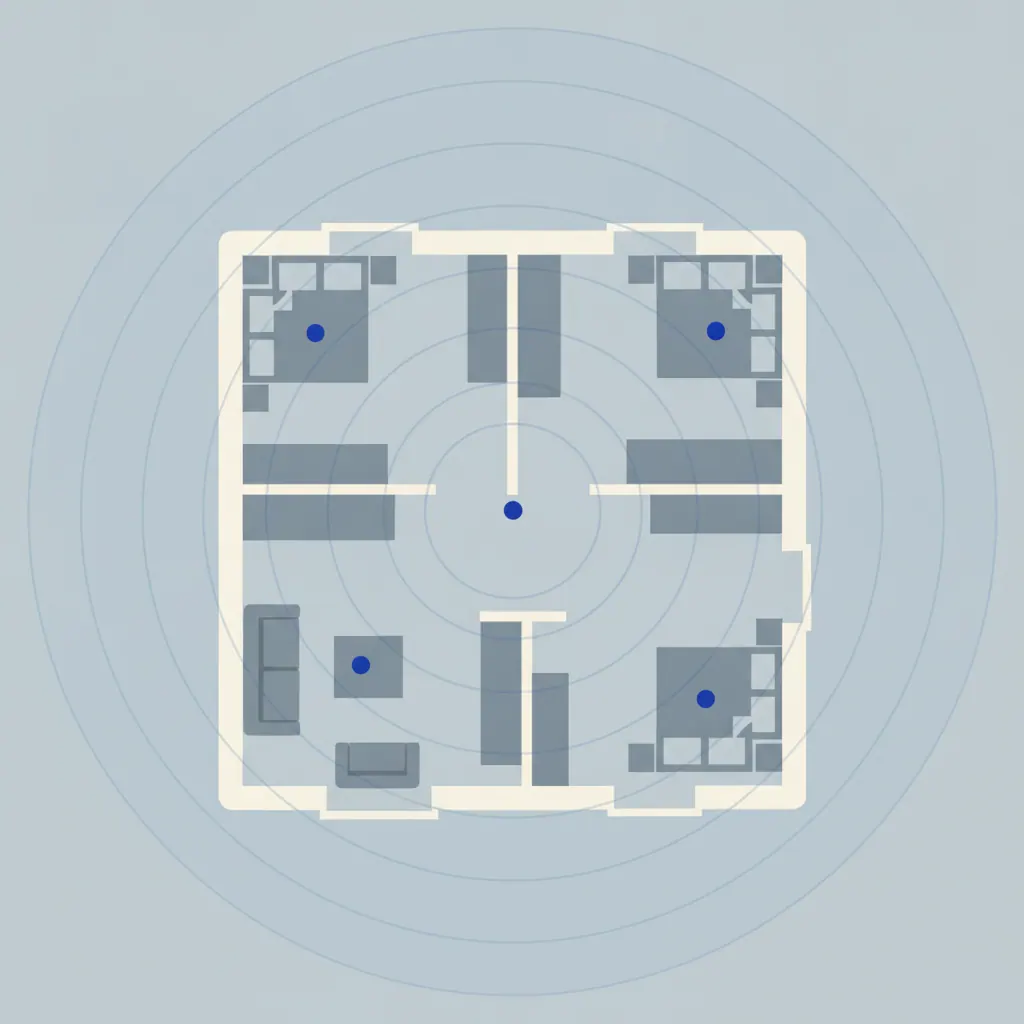
Plenty of UK homes don’t. If your Wi-Fi problems are limited to one room, or you have a modern router sitting in a sensible spot, a mesh system is often overkill. Mesh earns its money when the layout defeats a single point source: three storeys, a detached house, solid brick internal walls, a router stuck in the hall by the front door, or coverage needed in a garden office. A recent Uswitch/OnePoll survey of 2,000 UK adults (published 26 August 2026) found 36% struggle with their home Wi-Fi, and 61% have already tried to fix it, spending an average of £55.70 — often on the wrong thing.
Mesh vs one good Wi-Fi 7 router
One well-placed modern router covers most flats, terraces and 2–3-bed semis on its own. A single tri-band Wi-Fi 7 router can also cost less than a three-pack mesh kit and gives you one box to manage. Buy one good router first; add mesh nodes only if a real dead spot remains after you’ve moved it somewhere central and off the floor. If you’re not sure whether your line even justifies new kit, our guide to whether you need a new router for full fibre walks through it, and which Wi-Fi standard you actually need covers the Wi-Fi 6 versus 7 question in full.
Mesh vs a WiFi extender
A WiFi extender rebroadcasts your signal on a separate network name, and your phone won’t hand off to it automatically — you drop and reconnect as you move around the house. A mesh system presents one network name across every node and moves your devices between them without you noticing. An extender is a cheap patch for a single fixed dead zone, such as a back bedroom. Mesh is the whole-home fix. If one plug-in extender solves your only problem for £30, start there.
Check your broadband provider’s hub first
UK ISP hardware varies more than people realise. EE’s Smart Hub 7 Plus ships dual-band Wi-Fi 7 as standard on all Full Fibre plans, so many EE customers need nothing. TalkTalk’s bundled eero means TalkTalk homes already have a mesh node in the box and can simply buy matching eero units to extend it. BT’s Smart Hub 3, Virgin Media’s Hub 5 and the standard Sky Hub are all Wi-Fi 6. If you’re on EE and want to swap the hub out entirely, our guide to the best router for EE Broadband covers the PPPoE and Digital Voice catches. Comparing providers at the same time? Our roundup of the best UK broadband providers lists which hub you get with each.
How UK housing changes the maths
US buyer’s guides assume single-storey drywall sprawl. British homes don’t behave like that. Solid brick party walls, 1930s lath-and-plaster, reinforced concrete floors in flats, converted lofts and detached garden rooms all cut signal hard, so node count and placement matter more here. Remember your broadband line speed is the ceiling on all of this — mesh spreads coverage, it doesn’t add speed. Our guide to how much broadband speed you actually need puts realistic numbers on that.
TP-Link Deco — best value, and our overall pick for most UK homes
The Deco X55 is the system we’d point most UK buyers at. A three-pack sits at around £160 (as of September 2026 — check current price) and TP-Link says it covers up to roughly 600 m² — enough for the large majority of British houses. It’s Wi-Fi 6 (AX3000, dual-band), not Wi-Fi 7, but on a 100–900 Mbps line with normal devices you won’t feel the difference. What you do get for the money is three Gigabit Ethernet ports on every unit, which means you can wire the nodes together for full-speed backhaul, or plug in a TV, console or NAS at each one.
Above it, the Deco BE65 is the mainstream Wi-Fi 7 step-up: tri-band (BE9300) with four 2.5Gb ports per node and multi-link operation. Pricing is genuinely messy — the same “BE65” name appears anywhere from about £238 to £470 depending on the exact pack size and SKU, with a separate “BE65 Pro” muddying things further — so pin down precisely what’s in the box before you pay. Expect roughly £420 for a two-pack and £470 for a three-pack at the higher end (as of September 2026). Below the X55, the single Deco X50 (around £120) is a tidy way to start a two-node setup in a smaller home.
Between the two sits the Deco XE75 (and the XE75 Pro, which swaps the Gigabit ports for 2.5Gb ones). Both are tri-band Wi-Fi 6E (AXE5400), so there is a dedicated 6GHz band the nodes can use to talk to each other — the mesh does not give up a slice of your speed on backhaul. That is a genuine edge over the dual-band X55 in a house where you cannot run Ethernet between nodes. The catch is price: a three-pack swings roughly £280–£350 (as of September 2026), the Pro is frequently cheaper than the standard XE75, and at those numbers the Wi-Fi 7 BE65 is not far above. Buy the XE75 if you want tri-band today and do not need Wi-Fi 7; otherwise the X55 saves money and the BE65 lasts longer.
Who should skip Deco? If you have a multi-gig full-fibre line and a house full of Wi-Fi 7 phones and laptops, the X55’s Wi-Fi 6 radios are a soft ceiling — go BE65 or an eero Pro 7. And if you want the absolute simplest app experience, eero still edges it. TP-Link’s HomeShield security has a free tier that covers the basics, with a paid Pro upgrade you can ignore.
Pros
- Cheapest genuinely good whole-home coverage in the UK
- Three Gigabit ports per node — wired backhaul included at the price
- Wide UK availability (Amazon, Currys, Argos, Box, Scan)
- Free HomeShield security basics
Cons
- X55 is Wi-Fi 6 — a ceiling on multi-gig lines
- BE65 pricing is confusing and SKU-fragmented
- App is functional rather than polished

Amazon eero — easiest to live with, and best for smart homes
The eero 6+ is the system to buy if you want to set it up in ten minutes from your phone and never think about it again. A three-pack is around £300 (as of September 2026 — check current price), it’s Wi-Fi 6 (dual-band, roughly 1 Gbps wired), and eero claims coverage up to about 420 m². The stand-out feature at this price is a built-in Zigbee smart-home hub, so it can replace a separate SmartThings or Hue bridge — handy if you’re building out an Alexa home. Our full Amazon eero review goes deeper on day-to-day use.
If you want Wi-Fi 7 without the premium price, the eero 7 three-pack has been seen around £290 and lists closer to £350 (as of September 2026). It supports broadband plans up to 2.5 Gbps but stays dual-band, so wired backhaul matters in bigger homes. At the top, the eero Pro 7 (around £750 for a three-pack) adds a tri-band design, support for plans up to 5 Gbps, and a Zigbee plus Thread border router for Matter smart homes. That’s a lot of money, and only worth it if you’ll genuinely use both the speed and the hub.
Two catches to be honest about. First, eero is a closed system — eero nodes only mesh with other eero nodes, so you can’t mix in another brand later. Second, eero is Amazon-only in the UK; you won’t find it in Currys or Argos. The eero Plus subscription (around £9.99/mo, as of September 2026) adds ad and malware blocking, content filtering and a bundled VPN, but it is not required for the mesh to work properly. TalkTalk customers already running a bundled eero can buy any of these units to extend coverage.
Pros
- Simplest setup and app of any system here
- Zigbee hub built in (6+); Zigbee, Thread and Matter on Pro 7
- Reliable device hand-off as you move around
- Extends a TalkTalk bundled eero directly
Cons
- Closed ecosystem — can’t mix with other brands
- Amazon-only in the UK
- eero 6+ and eero 7 are dual-band
- eero Plus upsell (not needed for Wi-Fi)

Netgear Orbi — best for large and awkward homes
If your problem is reach — a detached house, a three-storey townhouse, thick Victorian walls, or coverage that has to stretch to a home office over the garage — the Orbi 770 Series is the pick. A two-pack is around £320 (as of September 2026 — check current price), it’s tri-band Wi-Fi 7, and Netgear says it covers up to roughly 510 m² (about 5,500 sq ft). The dedicated backhaul band and strong radios mean a two-pack often does the job where a cheaper three-pack would struggle, and setup through the Orbi app is quick.
The honest caveat: the Orbi 770’s LAN ports are Gigabit, not 2.5Gb (there’s a single 2.5Gb WAN port on the router). Wired backhaul and any wired client are capped at about 940 Mbps as a result. On most UK lines that’s academic, but if you’re on multi-gig full fibre and want wired devices to exceed a gigabit, look at the Deco BE65 or eero Pro 7 instead. Netgear’s Armor security is a paid add-on at around £85/yr after the trial.
The Orbi 970 Series sits above this — quad-band, a 10 Gig port, excellent by every account — but a three-pack is roughly £2,199 (as of September 2026). It’s a halo product, not a recommendation. For the vast majority of large UK homes the 770 Series is the sensible stop.
Pros
- Best raw reach here for big and thick-walled homes
- Tri-band Wi-Fi 7 with a dedicated backhaul band
- A two-pack often covers what rivals need three nodes for
- Quick app setup
Cons
- Gigabit-only LAN ports cap wired use at ~940 Mbps
- Pricey for a two-pack
- NETGEAR Armor is a paid subscription
Google Nest Wifi Pro and ASUS ZenWiFi — the other two worth knowing
Neither of these is a first choice for most people, but each is the right answer for a specific buyer.
Google Nest Wifi Pro — only for Google Home households
The Nest Wifi Pro is Wi-Fi 6E, tri-band, with a Thread border router built in and tight integration with the Google Home app. A three-pack is around £340–£380 (as of September 2026 — check current price), and Google says each node covers about 120 m², roughly 320 m² for three. Its network security and parental controls are largely free, with no eero Plus-style monthly tier.
The problem is age. It launched in October 2022, it’s Wi-Fi 6E rather than Wi-Fi 7, there’s no announced successor as of September 2026, and it only offers two Gigabit ports per unit — one of which is the WAN port on the main node, so wired-backhaul flexibility is limited. If your home already runs on Google and Nest, it slots in neatly. If it doesn’t, the Deco X55 or an eero costs less and does more.
Pros
- Clean Google Home integration
- Thread border router built in
- Security and parental features mostly free
Cons
- 2022 hardware, Wi-Fi 6E not Wi-Fi 7, no successor announced
- Only two Gigabit ports per unit
- Limited wired-backhaul flexibility
ASUS ZenWiFi — for tinkerers who want AiMesh flexibility
ASUS ZenWiFi is the choice if you like control. The budget ZenWiFi BD4 (Wi-Fi 7, dual-band) starts around £90 for a single unit, with the tri-band BT8 and BT10 stepping up to roughly £330–£530 for a two-pack (as of September 2026 — check current price). The BT10 adds dual 10 Gigabit ports for multi-gig lines.
Two things set ASUS apart. AiMesh lets you mix and match many ASUS routers and nodes — including older ZenWiFi XT8/XT9 units and standalone ASUS routers — so you can add coverage over time rather than buying a matched kit up front. And AiProtection Pro security (from Trend Micro) is free for the life of the device, which is a real total-cost advantage over eero and Netgear. The trade-off is that the app and setup are less polished than eero’s, and the tri-band models get expensive fast.
Pros
- AiMesh mixes many ASUS models — expand gradually
- AiProtection Pro security free for the life of the device
- Deep configuration options
- BD4 is a cheap way into Wi-Fi 7
Cons
- App and setup less polished than eero
- Tri-band BT8/BT10 get expensive
- More settings than most buyers want
How to choose the best mesh WiFi system for your home
Picking the best mesh WiFi system is mostly about matching node count and backhaul to your home, then deciding whether Wi-Fi 7 and a smart-home hub are worth paying for. Here’s the short version of each decision, with the full spec-and-price comparison below.
| System | Wi-Fi & bands | Backhaul & ports | Indicative UK price |
|---|---|---|---|
| TP-Link Deco X55 (3-pack) | Wi-Fi 6, dual-band | Wired or wireless; 3× Gigabit per unit | ~£160 (Sept 2026) |
| TP-Link Deco BE65 (2–3-pack) | Wi-Fi 7, tri-band | Wired or wireless; 4× 2.5Gb per unit | ~£420–£470 (Sept 2026) |
| TP-Link Deco X50 (1-pack) | Wi-Fi 6, dual-band | Wired or wireless; 3× Gigabit per unit | ~£120 (Sept 2026) |
| TP-Link Deco XE75 / XE75 Pro (3-pack) | Wi-Fi 6E, tri-band | Wired or wireless; 3× Gigabit per unit (2.5Gb on XE75 Pro) | ~£280–£350 (Sept 2026) |
| Amazon eero 6+ (3-pack) | Wi-Fi 6, dual-band | Wired or wireless; 2× Gigabit on router; Zigbee hub | ~£300 (Sept 2026) |
| Amazon eero 7 (3-pack) | Wi-Fi 7, dual-band | Wired or wireless; plans up to 2.5 Gbps | ~£290–£350 (Sept 2026) |
| Amazon eero Pro 7 (3-pack) | Wi-Fi 7, tri-band | Wired or wireless; plans up to 5 Gbps; Zigbee + Thread | ~£750 (Sept 2026) |
| Netgear Orbi 770 Series (2-pack) | Wi-Fi 7, tri-band | Wired or wireless; 1Gb LAN ports only | ~£320 (Sept 2026) |
| Google Nest Wifi Pro (3-pack) | Wi-Fi 6E, tri-band | Mostly wireless; 2× Gigabit per unit; Thread | ~£340–£380 (Sept 2026) |
| ASUS ZenWiFi BD4 (scales via AiMesh) | Wi-Fi 7, dual-band | Wired or wireless; AiMesh mixes ASUS models | ~£90 per unit (Sept 2026) |
How many nodes do you need, by home size and layout?
As a rule of thumb: a 1-bed flat or small terrace needs a two-pack (or one good router). A 3-bed semi over two floors wants a two- or three-pack. A 3–4-bed detached house or a three-storey townhouse needs a three-pack. Add one node per garden office, loft conversion or outbuilding. Placement matters as much as count — put a node roughly halfway to the dead zone, not inside it; keep it off the floor; and don’t tuck it behind the TV.
Wired vs wireless backhaul
Backhaul is how the nodes talk to each other. Wired backhaul — an Ethernet cable between nodes — is always best: full speed, no penalty. If you can’t run cable, a tri-band system dedicates a separate radio to node-to-node traffic, which is why tri-band beats dual-band for larger setups. On a dual-band system with wireless backhaul, expect roughly half your speed a hop or more away from the main node. Powerline adapters can serve as a backhaul path where walls block Wi-Fi and cable isn’t an option. New-build homes often already have Ethernet points — use them.
Is Wi-Fi 7 worth it for mesh in 2026?
For most UK homes, no. Wi-Fi 6 mesh still comfortably covers typical broadband lines and the devices on them. Wi-Fi 7 is worth the extra outlay only if you have a multi-gig full-fibre line, a lot of very recent phones and laptops, and ideally wired backhaul so the nodes can keep up. Ofcom opened more 6GHz spectrum in July 2026, which nudges the case for Wi-Fi 6E and 7 slightly. For the full picture, see our guide to whether Wi-Fi 7 is worth it.
Which system fits your broadband provider?
On EE Full Fibre you already have Wi-Fi 7 in the Smart Hub 7 Plus — run any mesh in access-point mode alongside it, or replace the hub at the ONT. On TalkTalk you have an eero already, so buy more eero units. On BT you generally can’t fully bridge the Smart Hub, so run the mesh in access-point mode or swap the hub. On Virgin Media, put the Hub 5 in modem mode and let the mesh handle routing. On Sky and Vodafone, most standard hubs are Wi-Fi 6 and bridge fine.
Subscription costs over three years
The sticker price isn’t the whole cost. Security subscriptions can swing the three-year total by £150–£350. None of them is required for the mesh to route traffic properly.
| System | Security subscription | Indicative cost |
|---|---|---|
| TP-Link Deco | HomeShield — free basics, optional paid Pro | £0, or a paid Pro tier |
| Amazon eero | eero Plus (optional) | ~£9.99/mo (Sept 2026) |
| Netgear Orbi | NETGEAR Armor (after trial) | ~£85/yr (Sept 2026) |
| Google Nest Wifi Pro | Most features included | £0 |
| ASUS ZenWiFi | AiProtection Pro | Free for the life of the device |
Which nodes double as a smart-home hub?
Some mesh nodes can replace a separate smart-home bridge. The eero 6+ has a Zigbee hub. The eero Pro 7 (and eero Pro 6E and eero Max 7) add Thread and Matter on top. The Nest Wifi Pro is a Thread border router. If you’re starting from scratch, that can save you buying a SmartThings or Hue bridge — our guide to mesh Wi-Fi for smart devices covers how it fits together.
Setting up a mesh system: the quick version
- Decide whether your ISP hub can go into modem/bridge mode. If it can’t, plan to run the mesh in access-point mode.
- Place the main node next to your ONT or modem and connect it by Ethernet.
- Install the app, create the network, and add the main node first.
- Add each satellite node roughly halfway between the main node and the dead spot — not in the dead spot itself.
- If you can, run an Ethernet cable between nodes for wired backhaul, or use a powerline pair where walls block the signal.
- Run the app’s speed or placement test at each node and move any that report a weak backhaul link.
Which mesh system is right for you?
Most UK homes on a 100–900 Mbps line: TP-Link Deco X55. Least hassle and an Alexa smart home: Amazon eero 6+. Large, detached or three-storey: Netgear Orbi 770 Series. Multi-gig full fibre and new devices: Deco BE65 or eero Pro 7. Small home or one dead spot on a budget: Deco X50. Tri-band backhaul without Wi-Fi 7 prices: Deco XE75. All-in on Google: Nest Wifi Pro. Want to expand and tweak over time: ASUS ZenWiFi.
Mesh WiFi FAQs
Do I need mesh WiFi or a WiFi extender?
Mesh WiFi is the right call if you want whole-home coverage where your phone moves between nodes without dropping the connection. A WiFi extender is a cheaper patch for a single fixed dead spot, but it creates a separate network name and your devices won’t hand off to it automatically. If you have more than one problem area, or you move around the house a lot, choose mesh.
How many mesh WiFi nodes do I need?
Two nodes cover a flat or small 2-bed. Two to three cover a 3-bed semi over two floors. Three cover a 3–4-bed detached house or a three-storey townhouse. Add one node for each garden office, loft conversion or outbuilding. Placement matters as much as the number — a node works best roughly halfway to the dead zone, off the floor, and not hidden behind furniture.
Does mesh WiFi slow down your internet?
Mesh WiFi should not slow your connection if you use wired backhaul or a tri-band system. On a dual-band mesh with wireless backhaul, expect roughly half the speed a hop or more from the main node — still fine for streaming and browsing, less ideal for large file transfers. Your broadband line speed is the ceiling either way; mesh spreads coverage, it doesn’t add speed.
Is eero better than Deco (TP-Link)?
eero and Deco suit different priorities. eero wins on app simplicity and hand-off, and adds a Zigbee or Thread smart-home hub on several models. Deco wins on price and gives you more Ethernet ports and manual control for the money. For most UK buyers on a budget, the Deco X55 is the better value; for the least hassle and an Alexa home, choose eero.
Can I use mesh WiFi with my existing router?
Yes. The cleanest setup is to put your existing router into modem or bridge mode and let the mesh handle Wi-Fi and routing. If the router can’t be bridged — which is common on EE and BT hubs — run the mesh in access-point mode instead, or replace the hub at the ONT. TalkTalk’s bundled hardware is already an eero, so you just add matching nodes.
Is a mesh system or a single Wi-Fi 7 router better?
A single well-placed Wi-Fi 7 router is better for a compact home — a flat, a terrace or a small semi — and usually costs less. A mesh system is better when the layout beats a single source: three storeys, a detached house, thick internal walls, or coverage needed outdoors. Buy one good router first and add mesh nodes only if a real dead spot remains.
Do I need Wi-Fi 7 for mesh, or is Wi-Fi 6 still fine?
Wi-Fi 6 mesh is still the right buy for most UK homes in 2026, because typical broadband lines and devices rarely exceed what it can deliver. Wi-Fi 7 is worth the extra cost if you have a multi-gig full-fibre line, a lot of very recent phones and laptops, and wired backhaul between nodes. Otherwise you’re paying for headroom you won’t use.
Ready to buy? Check the current price on each of our picks before you decide — UK pack sizes and offers change week to week.
How we make money: TheTechVector earns a commission if you buy through links on this page, at no extra cost to you. It never changes which products we recommend or where they rank — our picks come from independent research into price, coverage and features. Prices are checked before publishing but change often; confirm the current figure on the retailer’s site before you buy.

Written by Vaibhav Kulkarni
Vaibhav is the founder and technical editor of TheTechVector, with 15 years’ experience in quality engineering and software testing. He applies that background to auditing spec sheets, comparing price-to-performance, and checking hardware compatibility across our UK broadband, laptop, VPN, and smart home guides. All prices are checked before publication — if something’s out of date, let us know.
This site contains affiliate links to products. We may receive a commission for purchases made through these links.
