Affiliate disclosure: TheTechVector earns a commission if you sign up via links on this page, at no extra cost to you. Our recommendations are based on independent research — we are not paid to favour any provider. Learn more about how we make money.
How to Switch Broadband Provider UK in 2026 (Step-by-Step)
Switching broadband used to mean calling your old provider, arguing your way through retention teams, and then sitting without internet for a week. Not any more. Since September 2024, Ofcom’s One Touch Switching rules mean you only talk to your new provider — they handle everything else. Most switches complete within two weeks, with just a few minutes of downtime on changeover day.
The bigger reason to switch? Loyal customers in the UK routinely pay £15–£25 more per month than new customers for identical speeds. That’s up to £300 a year wasted by not moving. This guide walks you through every step — from checking your contract to activating your new connection — so you know exactly what to expect.
The 5-Step Switching Process at a Glance
Here’s the complete process condensed into five steps. Each one is explained in detail below.
| Step | What You Do | Timescale |
|---|---|---|
| 1. Check your contract | Log in to your account or check your bill for the end date | 5 minutes |
| 2. Compare deals | Use a comparison site or go direct to providers | 15–30 minutes |
| 3. Sign up with new provider | Give your name, address, and current provider — they trigger the switch | 10 minutes |
| 4. Confirm the switch | Review the Switching Information Notification and give consent | 1–5 working days |
| 5. Activation day | Plug in your new router — old service stops automatically | 10–14 working days after Step 3 |
Step-by-Step: How to Switch Broadband in the UK
Under One Touch Switching, the process is straightforward. Here’s what happens at each stage.
- Check your contract end date. Log in to your current provider’s online account or look at a recent bill. You’re looking for the end date of your minimum term. If you’re already out of contract (rolling monthly), you can switch right now with no penalty and just the standard notice period — usually 30 days, which your new provider serves on your behalf.
- Compare broadband deals in your area. Not every provider covers every postcode — Virgin Media’s cable network, for instance, only reaches about 60% of UK homes. Enter your postcode on a comparison site or go direct to the providers listed below. Think about what speed you actually need: if you only stream and browse, 50–100Mbps is plenty. Heavier households with 4K streaming and gaming across multiple devices benefit from 300Mbps or above. Check our guide on how much broadband speed you actually need before committing.
- Sign up directly with your new provider. You do not need to call your old provider first. Just go to the new provider’s website, choose your package, and complete the order. They’ll ask for your name, address, and who your current provider is — this is all they need to trigger One Touch Switching. There’s no need to cancel separately.
- Review your Switching Information Notification. Within 1–5 working days of placing your order, you’ll receive a notification from your new provider confirming the details of the switch: your activation date, what your final bill from the old provider will be, and your new monthly price. Read this carefully, then confirm you want to go ahead. If anything looks wrong — such as an unexpected early termination charge — contact your new provider before proceeding.
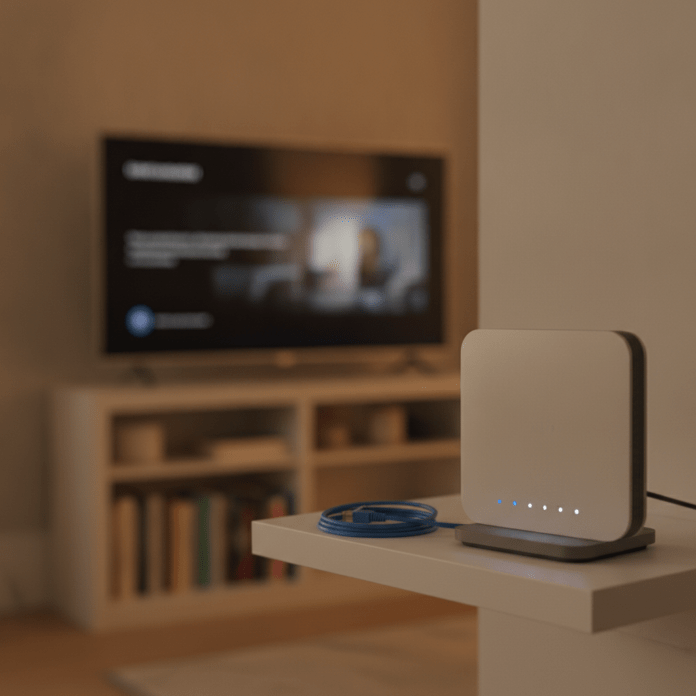
- Activate your new connection. Your new router arrives a few days before activation. On switch day, disconnect your old router, plug in the new one, and wait. The crossover usually takes a few minutes. Your old service stops automatically — no final phone call required. If your switch involves a new full-fibre (FTTP) line, an engineer visit will be booked instead, and the process takes a little longer.
When Is the Right Time to Switch Broadband?
Timing your switch correctly can mean the difference between paying nothing extra and facing a bill for several months’ worth of fees.
The ideal window: 30–45 days before your contract ends
Most contracts run for 18 or 24 months. Once you reach your end date, you move to a rolling monthly arrangement — and providers typically raise prices at this point. Switching in the final month or so of your contract lets you avoid the price hike without paying any early termination charge. Your new provider triggers the notice period on your behalf, so you don’t need to time the calls yourself.
If you’re already out of contract
Switch immediately. There’s no penalty, and you’ve almost certainly been paying over the odds for some time. The average saving for someone switching away from an out-of-contract deal is £180–£300 per year. The comparison tables below show the best deals available right now.
If you’re mid-contract
You can switch mid-contract, but you’ll usually pay an early termination charge (ETC). The calculation is roughly: your monthly price (minus VAT and a 4% prompt-payment discount) multiplied by the number of months remaining. On a £30/month deal with 10 months left, that’s roughly £240. Sometimes this still makes sense — if your new deal saves £25/month and you’re 3 months from the end, paying a £60–£90 charge to save £25/month immediately can pay off within a few months. Do the maths before committing.
Watch out for April price rises
Most major UK providers raise prices each April — typically by a fixed pound amount or a percentage tied to CPI or RPI inflation. If your deal is due to end around spring, consider switching in January or February, before the next rise takes effect. Alternatively, if a provider announced a price rise mid-contract, you may have the right to exit penalty-free (see the section on early termination fees below).
Early Termination Fees: What You’ll Pay and How to Avoid Them
Early termination charges can catch people off guard, but there are several legitimate ways to exit your contract without paying them.
How ETFs are calculated
Ofcom requires providers to calculate early termination charges fairly. The standard formula is:
ETF = (monthly price ÷ 1.2) × 0.96 × months remaining
So on a £36/month package with 8 months remaining: (£36 ÷ 1.2) × 0.96 × 8 = £230.40. Your provider must tell you your ETF amount if you ask — they’re required to by Ofcom.
Five ways to leave without paying an ETF
- 14-day cooling-off period. All residential broadband contracts come with a 14-day cooling-off period. If you’ve signed up recently and change your mind, you can cancel free of charge during this window.
- Mid-contract price rise above the agreed cap. If your provider raises your price mid-contract by more than the amount specified in your contract (for example, above the stated CPI/RPI cap), you have the right to leave without penalty. You typically have 30 days to act after receiving notice of the rise.
- Speeds below your guaranteed minimum. Under Ofcom’s Broadband Speeds Code, if your provider fails to fix your speed to the guaranteed minimum within 30 days of you reporting the issue, you can leave penalty-free.
- Rolling (out-of-contract) status. Once you’ve served your minimum term, there’s no ETF — just the standard notice period.
- Prolonged total service failure. If you’ve had no service at all for an extended period and the provider cannot fix it within a reasonable timeframe, you may be entitled to exit without penalty. Keep records of all fault reports.
Switching to or from Virgin Media: What’s Different
Most UK broadband providers — BT, EE, Vodafone, Sky, TalkTalk, Plusnet — operate on the Openreach network (the physical cables and exchanges owned by BT Openreach). Switching between them is straightforward under One Touch Switching, and no engineer visit is needed if a working line already exists at your property.
Virgin Media is different. It runs its own proprietary cable network — a mix of hybrid fibre-coax (HFC) and, increasingly, full fibre — that covers around 60% of UK homes. This affects switching in two ways:
Switching from Virgin Media to an Openreach provider
One Touch Switching still applies — your new provider handles the admin. However, if you’re moving to full-fibre (FTTP) and no FTTP line exists at your property yet, an engineer visit will be needed to install the fibre cable and ONT (optical network terminal). This adds time to the process: typically 10–20 working days, versus around 10 days for a like-for-like Openreach switch. You’ll experience a gap between your Virgin service going off and your new FTTP service going live — plan accordingly and consider mobile data as a backup for that period.
Switching to Virgin Media from Openreach
Virgin always requires an engineer visit to connect your property to its cable or fibre network — even if a previous resident had Virgin. You’ll be given a time slot (currently a single-visit install in most areas), and the engineer will run the cable from the street, fit the ONT, and set up your hub in one appointment. Expect 10–20 working days between ordering and going live, and read our full Virgin Media broadband review before committing.
Virgin Media’s network upgrade
Virgin Media O2 is rolling out full fibre (FTTP/XGS-PON) across its entire network, with a target of completing the upgrade by 2028. Customers in upgraded areas can get symmetric speeds of up to 2Gbps. If you’re considering Virgin, it’s worth checking whether your area is already on FTTP or still on the older HFC cable network.
Best Broadband Deals to Switch to Right Now (September 2026)
Here are the best deals currently available from the major UK providers. Prices are the advertised rates as of September 2026 — check each provider’s site for the current price in your area, as deals change regularly. To see a full side-by-side comparison, visit our guide to the best UK broadband providers.
| Provider | Package | Avg. Speed | Price | Contract | Extras |
|---|---|---|---|---|---|
| BT | Full Fibre 150 | 150Mbps | ~£26.99/mo | 24 months | £150 reward card |
| EE | Full Fibre 900 | 900Mbps | ~£31.99/mo | 24 months | Apple TV+ 6 months |
| Vodafone | Pro 3 (up to 2.2Gbps) | Up to 2,200Mbps | £36/mo (re-verified 25 September 2026 — corrected from a previous £42/mo, and from a “Full Fibre 900” tier name that no longer exists; Vodafone’s standard plan, up to 910Mbps with no Wi-Fi guarantee, is £24/mo) | 24 months | Wi-Fi guarantee |
| Virgin Media | M125 Fibre | 132Mbps | ~£23.99/mo | 24 months | Hub 5x router |
| TalkTalk | Full Fibre 150 | 150Mbps | ~£24/mo | 24 months | Budget leader |
Prices correct as of September 2026. Always check the provider’s website for your postcode — availability and pricing varies by area.
BT Broadband
BT offers reliable full-fibre broadband on the Openreach network, with speeds from 50Mbps up to 900Mbps. The Full Fibre 150 package includes a reward card worth up to £150 for new customers, which helps offset the slightly higher monthly price. BT also includes its Complete Wi-Fi guarantee — if there are any dead spots in your home, they’ll send extra Wi-Fi discs free of charge.
Pros
- Reliable Openreach network
- Generous reward cards for new customers
- Complete Wi-Fi guarantee
- Strong customer service scores
Cons
- Higher monthly price than budget rivals
- Reward card is a one-off, not ongoing saving
- 24-month contracts only on best deals

EE Broadband
EE runs on the Openreach full-fibre network and is particularly strong for speed and Wi-Fi coverage. Its Smart Hub Pro router comes with Wi-Fi 7 on top-tier packages — useful if you have many devices at home. New customers switching to EE currently get 6 months of Apple TV+ included. For a full breakdown, read our EE broadband review.
Pros
- Wi-Fi 7 router on top plans
- Apple TV+ included for 6 months
- Strong full-fibre speeds up to 900Mbps
- EE mobile bundle discounts
Cons
- Premium pricing versus budget rivals
- Apple TV+ reverts to paid after 6 months
- Not available in all postcodes
Vodafone Broadband
Vodafone’s broadband runs on the Openreach network and also on CityFibre in many areas, giving it wider full-fibre coverage than some rivals. Its Pro 3 plan (rebranded from the older “Pro II” naming referenced elsewhere; confirmed live on vodafone.co.uk, 25 September 2026) comes with a Wi-Fi guarantee and a 4G backup connection. If you’re already a Vodafone mobile customer, the Together bundle gives a discount of around £5/month on both your broadband and mobile bills. Read our Vodafone broadband review for the full picture.
Pros
- Wide CityFibre coverage
- 4G backup on the Pro 3 plan
- Bundle discount with Vodafone mobile
- Strong speed consistency scores
Cons
- Best discounts require Vodafone mobile
- Customer service mixed reviews
- Not the cheapest monthly price
Virgin Media Broadband
Virgin Media’s own cable and fibre network delivers some of the fastest speeds in the UK. Its Gig1 package (average 1,130Mbps) is particularly good value when promotions are running, and even the entry-level M125 package holds up well for most households. The caveat: availability is around 60% of UK homes, so check your postcode first.
Pros
- Fast cable/fibre network
- Good promotional pricing
- Up to 2Gbps on FTTP areas
- Hub 5x router included
Cons
- Engineer visit always required
- Only available in ~60% of UK homes
- Prices rise after promotional period
- Customer service inconsistent
TalkTalk Broadband
TalkTalk is consistently the most affordable major broadband provider in the UK. Its Full Fibre 150 package at around £24/month is hard to beat on price, and performance on the Openreach full-fibre network is reliable for everyday use. If budget is your main concern, TalkTalk is worth serious consideration — read our TalkTalk broadband review for a detailed look at what you get.
Pros
- Lowest price among major providers
- Full fibre on Openreach network
- No setup fee on most packages
- Simple, no-frills value
Cons
- Customer service can be slow
- No TV or streaming bundles
- Fewer premium features than BT/EE
Which Broadband Provider Should You Switch To?
The right provider depends on what matters most to you. Here’s a quick guide by user type.
If you want the cheapest monthly price
TalkTalk is consistently the budget leader, with full-fibre packages starting under £25/month. You won’t get extras like reward cards or streaming subscriptions, but the core broadband service is solid on the Openreach network. Plusnet is another option in this bracket if TalkTalk isn’t available in your area.
If you want the best value with perks
BT and EE offer the best new-customer perks — reward cards of up to £150 (BT) and streaming subscriptions (EE). Over a 24-month contract, these extras can bring the effective monthly cost down to a competitive level, even if the headline price looks higher.
If you want the fastest speeds
Virgin Media’s Gig1 package offers average download speeds of 1,130Mbps — faster than anything on the standard Openreach network. EE and Vodafone both offer 900Mbps on Openreach full fibre, which is more than enough for any household. Unless you’re running a home studio or transferring huge files regularly, anything above 300Mbps is unlikely to feel meaningfully faster day-to-day.
If you already have a Vodafone mobile
Vodafone Together gives a discount of around £5/month on both your broadband and mobile bills when you bundle them. If you’re already a Vodafone mobile customer, this is one of the easiest savings you can make — just add broadband to your existing account.
If you work from home
Reliability and upload speed matter more than peak download speed for remote workers. BT, EE, and Vodafone all score well on consistency. Upload speed is particularly important for video calls — look for packages offering symmetric speeds (same upload as download), which you’ll find on full-fibre (FTTP) connections from all the major providers.
Switching broadband is also a good moment to check your mobile plan is still competitive — plenty of people quietly overpay on an old airtime contract. If you’re reviewing both at once, our guide to the best SIM-only deals in the UK covers the current low-cost large-data plans and which networks have frozen their prices against annual rises.
Switching isn’t always the only lever, either — before you commit, our step-by-step guide to getting the best broadband deal walks through when a retentions call can beat what you’d get by moving provider.
Frequently Asked Questions About Switching Broadband in the UK
Do I need to cancel my old broadband before switching?
No. Under One Touch Switching, you only need to contact your new provider. Once you place your order and give consent, your new provider notifies your old one and arranges the cancellation on your behalf. Do not phone your old provider to cancel before your switch completes — this can create complications with the switching process.
Will I lose my broadband connection during the switch?
You should only experience a brief outage — typically a few minutes — on the actual switchover day. Your old service is deactivated and your new connection is activated almost simultaneously. If your switch requires a new full-fibre (FTTP) line to be installed, there will be a gap between the engineer visit and going live, but this is planned and you’ll know the dates in advance.
How long does switching broadband take in the UK?
Most switches complete within 10–14 working days from the date you place your order. Switches that require a new engineer visit — such as a first-time FTTP installation or a new Virgin Media connection — can take 10–20 working days. You’ll be given a firm activation date when you confirm the switch.
Can I switch broadband if I’m still in contract?
Yes, but you’ll normally pay an early termination charge. The fee is calculated as roughly: your monthly price (minus VAT and a small discount) multiplied by the number of months remaining. Ask your current provider for your exact ETF before deciding. In some cases — such as a mid-contract price rise — you may be able to leave without paying a penalty.
What happens to my old router when I switch?
Your old provider will send you a returns bag shortly after your switch completes. You need to return any rented equipment — router, ONT box, or TV box — within 30 days to avoid a charge. The charges vary by provider but are typically £40–£100 per unreturned device. Keep the tracking reference from the returns bag as proof of postage. Once your full fibre line is installed, it’s worth checking whether your new ISP’s free router is actually up to the job of your plan speed — see our guide on whether you need a new router for full fibre.
Will I keep my home phone number if I switch broadband?
Yes, in most cases. Under One Touch Switching, your existing UK phone number is transferred to your new provider on the same day as the broadband switch. The only exception is if you’re switching to a broadband-only package with no voice service — in that case, you would lose the number. If you’re switching from a bundle that includes phone to a broadband-only deal, check with your new provider before completing the switch.
What is One Touch Switching?
One Touch Switching (OTS) is the Ofcom-mandated process for switching fixed-line broadband in the UK, launched on 12 September 2024. It means you only need to contact your new provider — they send a request through the industry-wide TOTSCo Hub system, which notifies your old provider and coordinates the switch. You no longer need to phone your old provider to cancel, and there’s no overlap period where you pay two bills simultaneously.
Can I switch broadband if I rent my home?
Yes. You don’t need landlord permission to switch broadband provider — you’re changing your service contract, not making structural changes to the property. The only exception is if a new full-fibre cable needs to be run into your home, which requires permission to drill through an external wall. In practice, most properties already have a suitable entry point. Check with your landlord if you’re unsure.
Ready to Switch? Compare Deals Now
All links below are direct to the provider — checked and updated for September 2026.
If your contract ends close to November, check our Black Friday deals guide to see whether waiting a few weeks could save you money through seasonal promotions.

Written by the TheTechVector Team
We research UK broadband, VPN, laptop, and mobile deals so you don’t have to. All prices are checked before publication — if something’s out of date, let us know.
Affiliate disclosure: TheTechVector earns a commission if you sign up via links on this page, at no extra cost to you. See our affiliate disclosure policy for full details.
This site contains affiliate links to products. We may receive a commission for purchases made through these links.
